January 22nd, 2026
Updates
January 22, 2026 Update
🏰 Model Selector
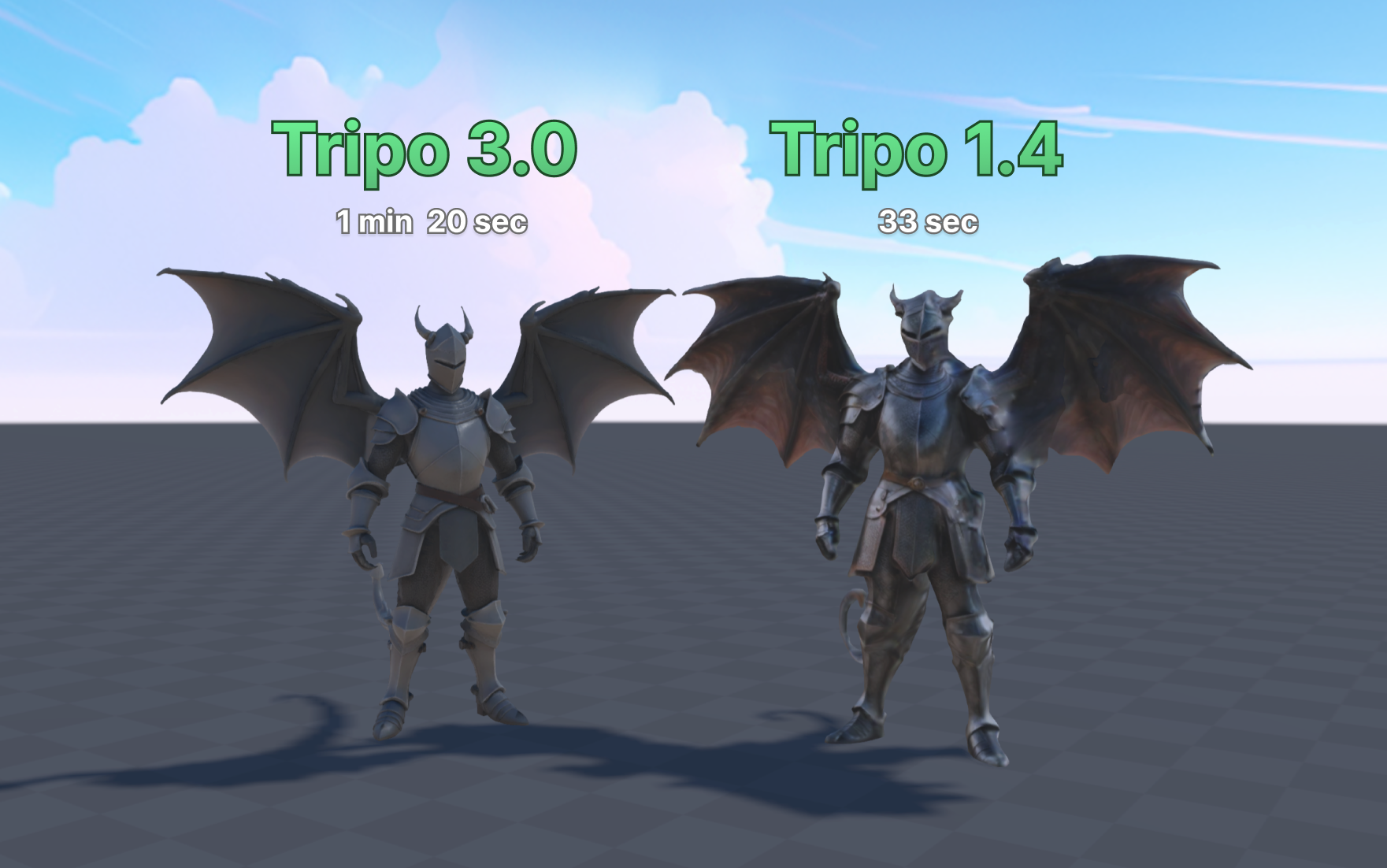
We added more AI 3d Generators to a Model Selector! Select the ⚙️ icon when generating a model with text prompts and choose between Tripo 1.4, Tripo 3.0 or Meshy 5. Each model will have different advantages in polycount, texture detail, and speed. Try to experiment with what best suits your needs for performance or visual quality!
For now, when you create 3d objects using the Doodle tool, the Model you’ve selected from the text prompt will be used as default. In a future update we’re also looking to add the Model Selector to the Doodle tool.
☀️ Bloom
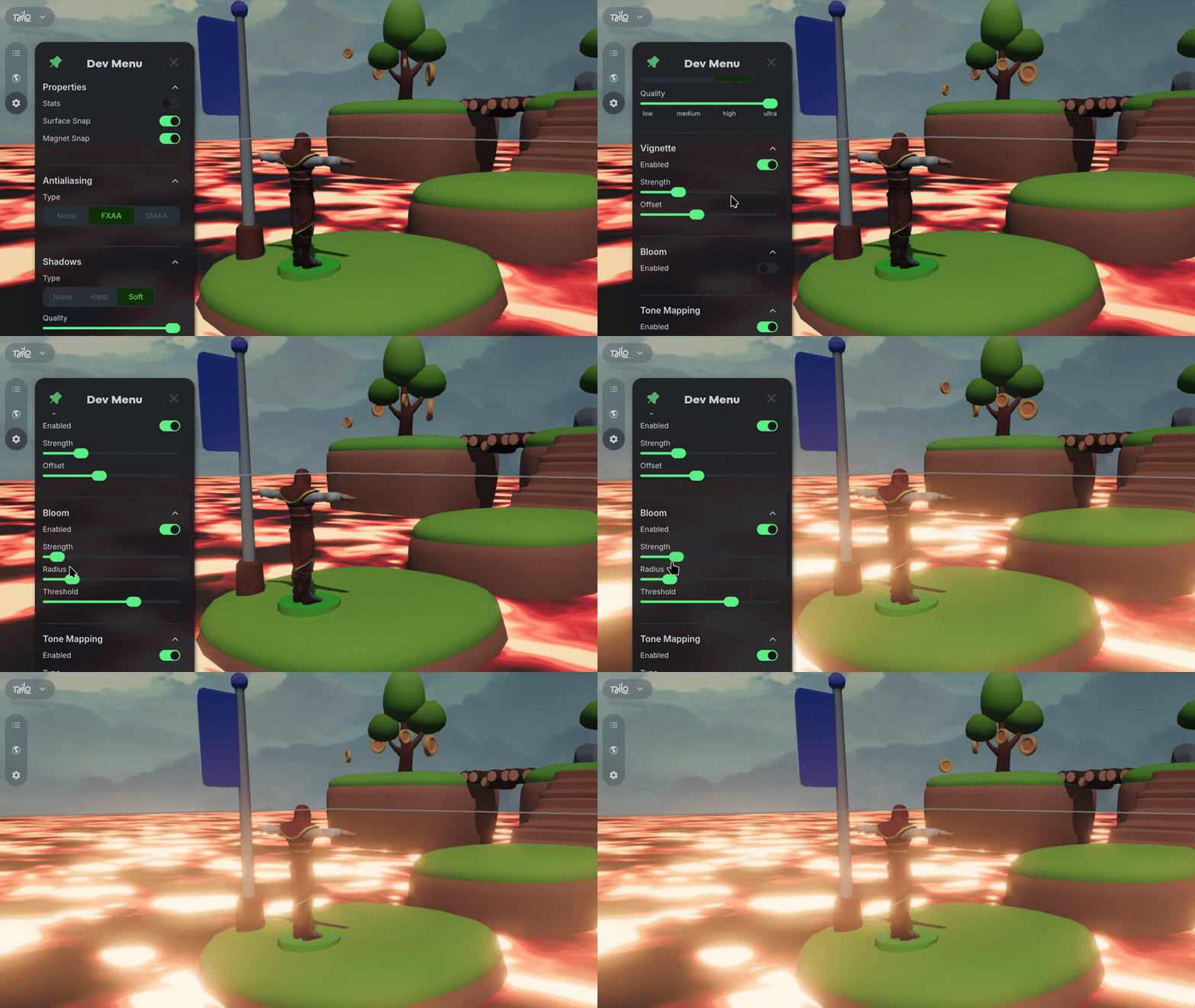
We added a Bloom feature to the Developer Panel! Along with the other color grading tools you can now dial in the visual flair of your world even more to make it pop.
🔎 Entity Renames and Search
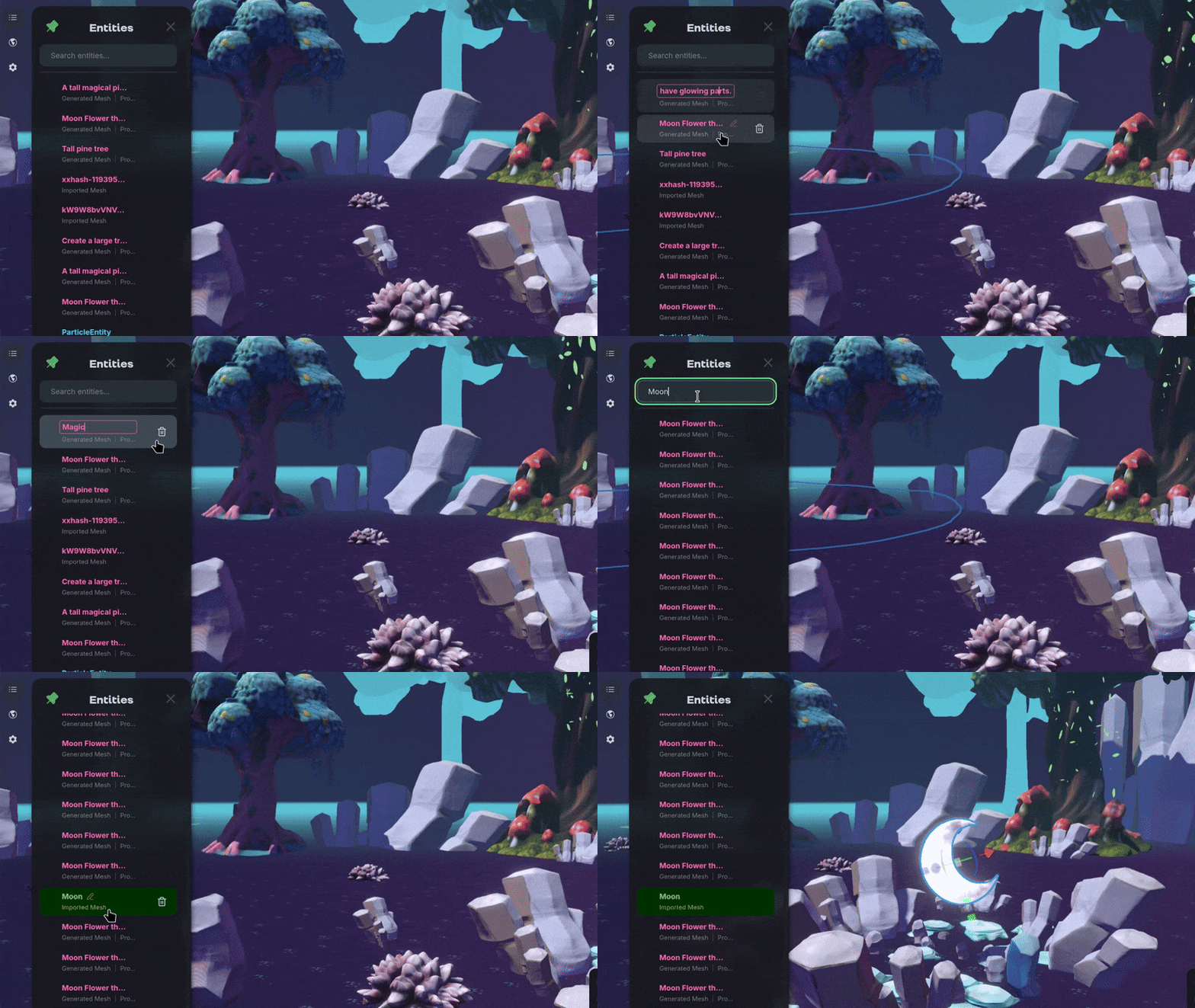
We added the ability to name entities, making them visible, editable, and searchable in the inspector panel! Organize your complex scenes easier, or find what you created before by using “F” to focus on the object while it’s selected.
💡Changes & Fixes
Added a Search option for worlds on the Explore and User Profile home pages.
Added a ground color picker and intensity slider to easily adjust the base texture of the floor in your worlds
Added an option to separate worlds you created by cloning or from scratch on your profile page.
Added a simple color selector to the radial menu for lights, but you can still use the Inspector panel to select any color for your lights!
Added the ability to delete a generation in progress.
Added more details to error messages if model generation fails.
Added toggles for Surface and Magnet snap in the Dev Menu.
Added a toggle for Muting Audio when switching tabs, on by default.
Tweaked the focus feature to now have three states that cycle when you press “F”. Initially the camera will frame your object, then zoom into the object, and then zoom out from the object.
Updated our default Doodle generation model to be even faster with Flux-2-Flash.
Fixed an issue where the LOD settings wouldn’t be saved when refreshing the browser page of the world.
Fixed a bug where you could take control of models before rigging was completed.
Fixed an issue where sound settings would not sync for multiple users.
Fixed a bug where moving objects would jitter them around from the perspective of other users or when frozen.