March 31st, 2026
Updates
March 31, 2026 Update
🛠️ Idea Forge
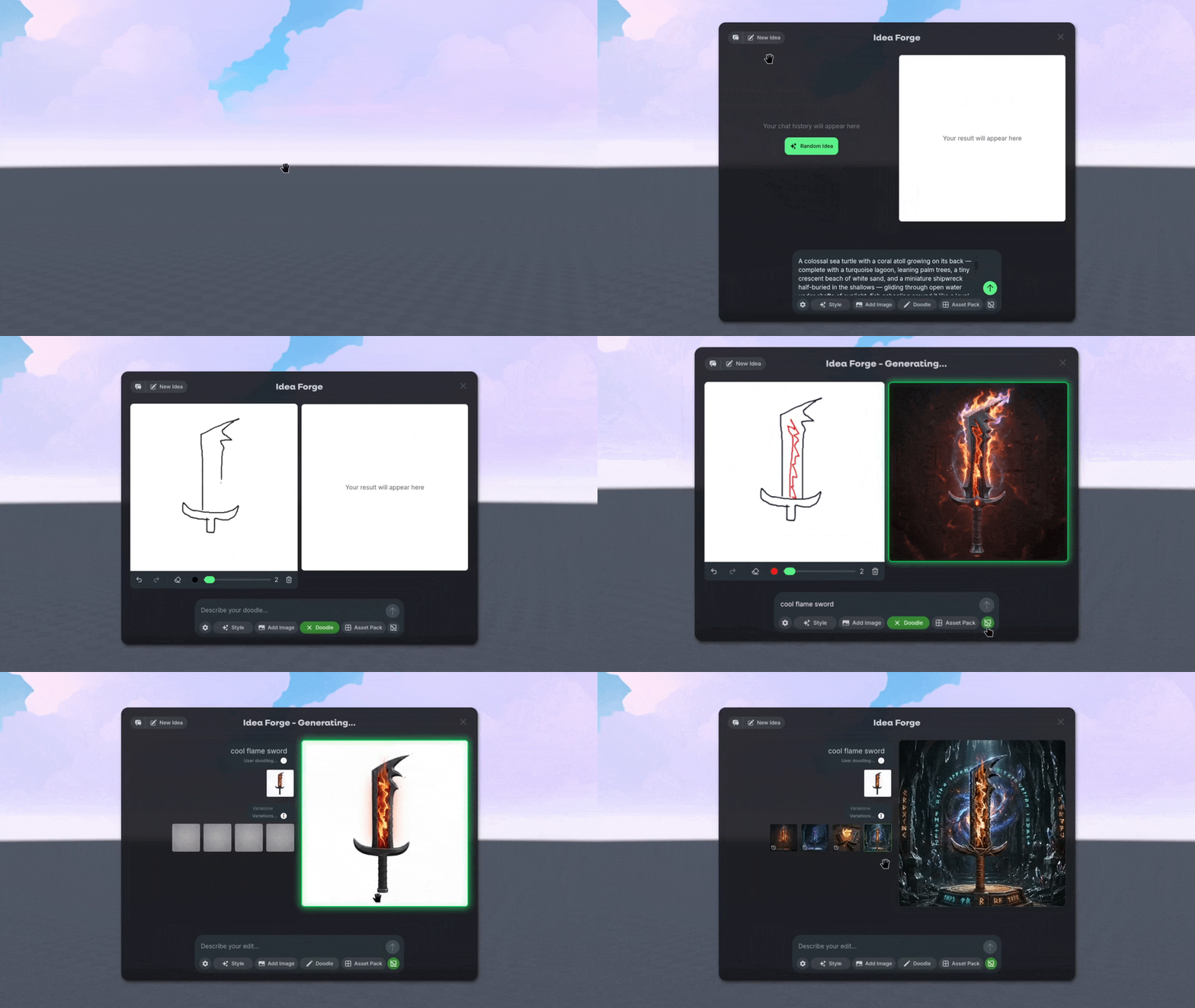
Introducing the new Doodle! Idea Forge builds on top of the previous Doodle feature with even more power than before! Use 🗨️ Chat History to keep track of your generation history, and create dozens of New Ideas with the help of the Random Idea prompt generator!
Just like before, you can also Doodle and sketch what you want to create, but now you can also quickly generate Variants with a single click.
🖼️ Image Styles and Inputs
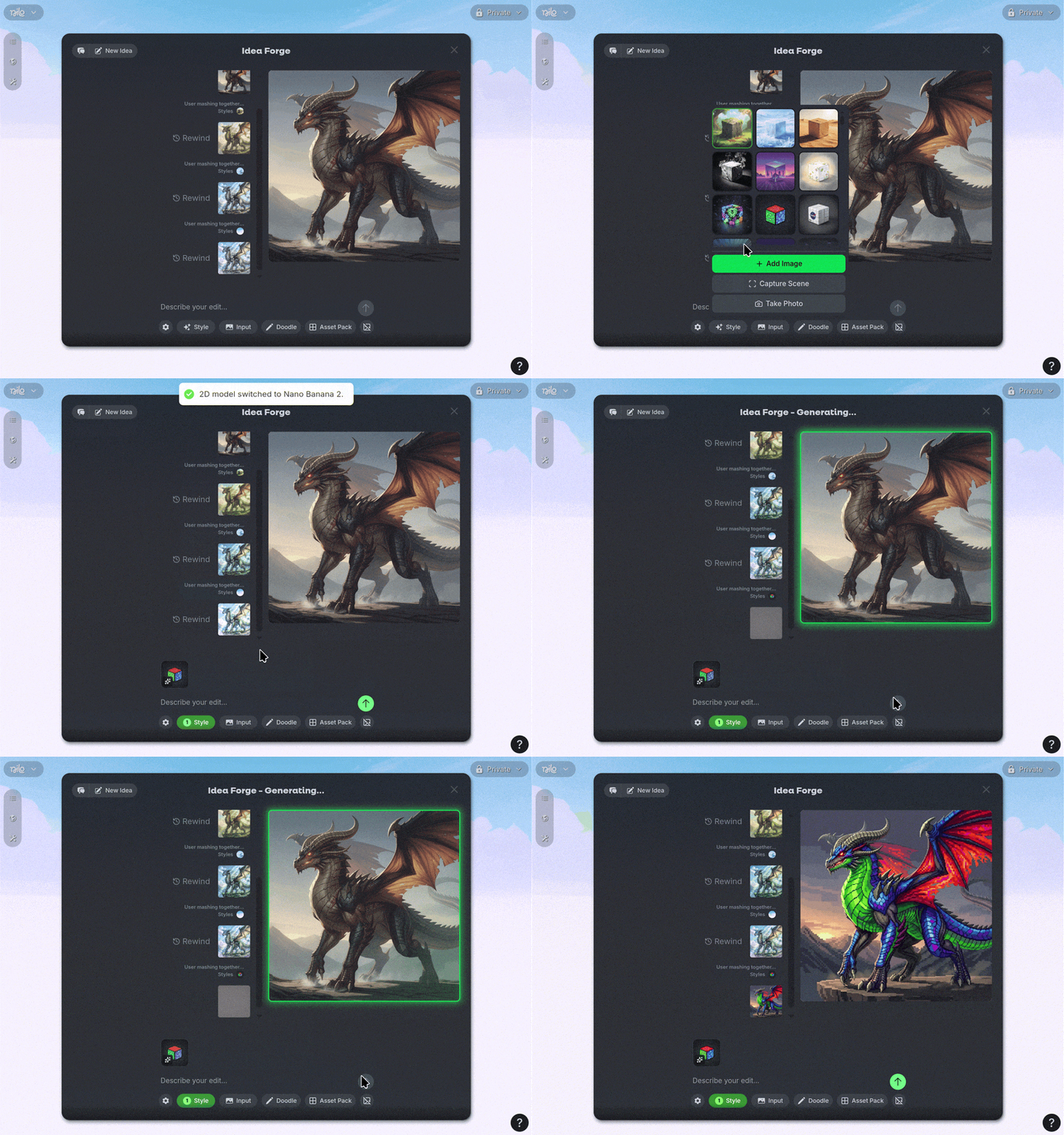
Inside Idea Forge you can use custom Styles or Inputs to influence the output of the generation! You can create your own reference elements by Capturing a Scene in your World, Camera or Upload.
Then you can select as many Styles or Inputs as you want to create a consistent, unique look to your ideas!
🧱 Asset Packs
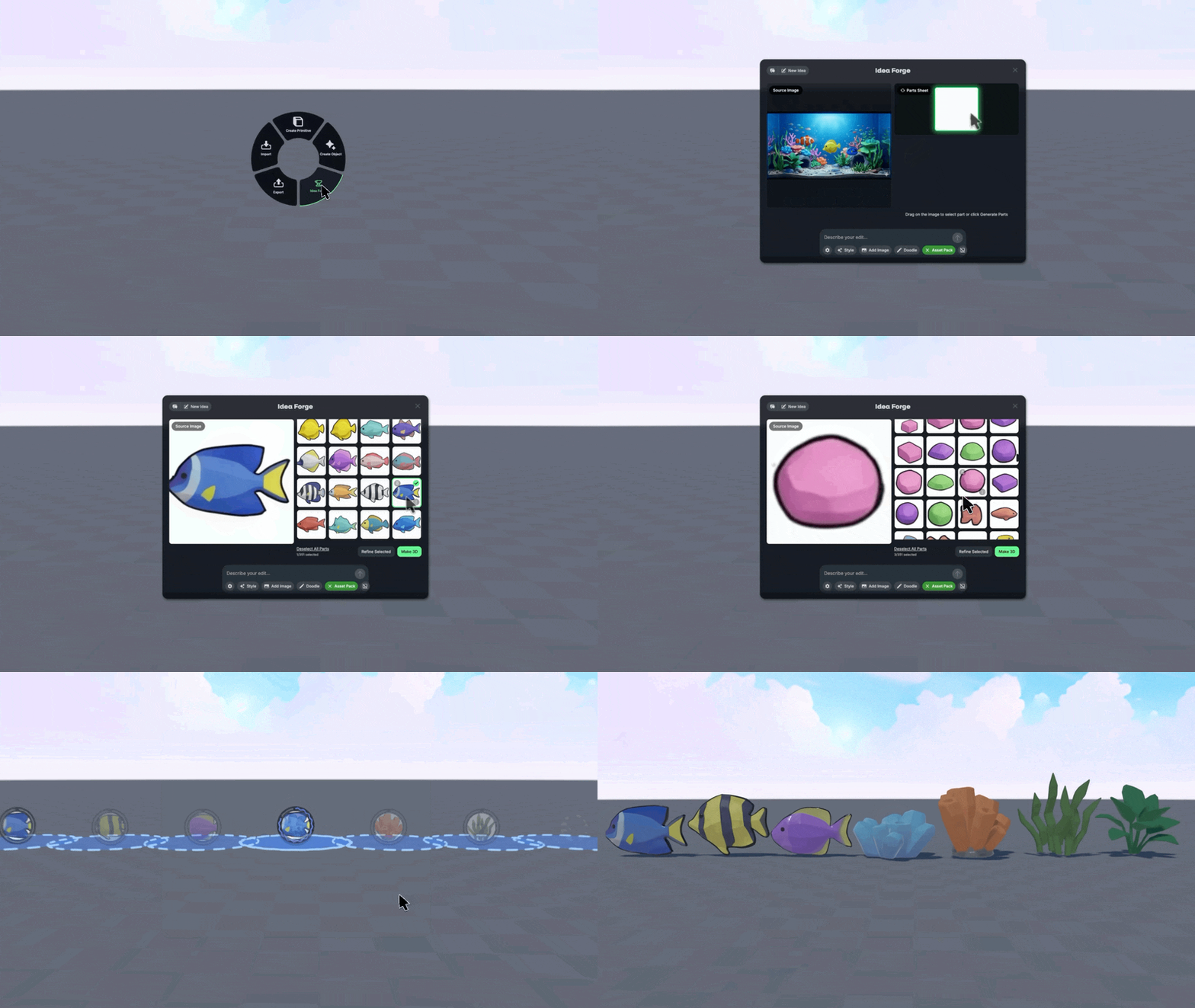
That’s not all Idea Forge can do! Using the Asset Pack function you can take any image and create a Part Sheet of all the components. This makes it easy to create dozens of 3D models in a consistent style, without the need for tons of guess work and iteration.
You can also Box Select by clicking and dragging a section of the image to isolate parts and Refine Selected to edit and iterate on your objects even further!
👕 Workbench
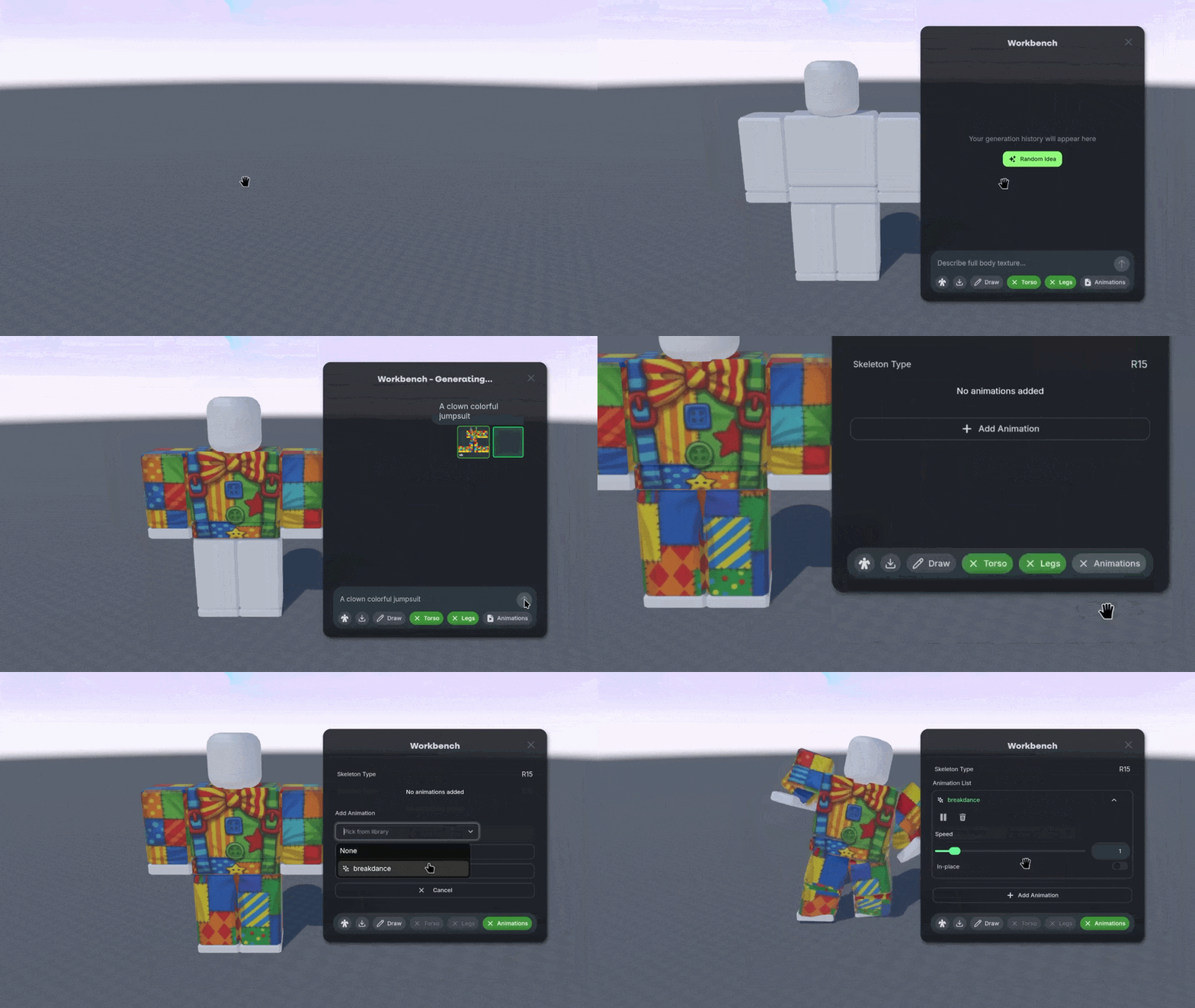
We’ve made creating Roblox-Ready assets even easier for you with the new Workbench feature!
Open it using the Create → Roblox Character option and prompt or Draw a texture directly on the model. Customize the skin, and even download the Torso and Leg textures separately if you want.
With Workbench, you can also use the Animations option to generate custom animations and export Roblox characters in Roblox’s native format with animations and clothing — all Robux-free. We’re still working on some extra Roblox-specific exporting features, so keep an eye out for an option to connect your Roblox account directly to Nilo!
🎒 Builder Bag
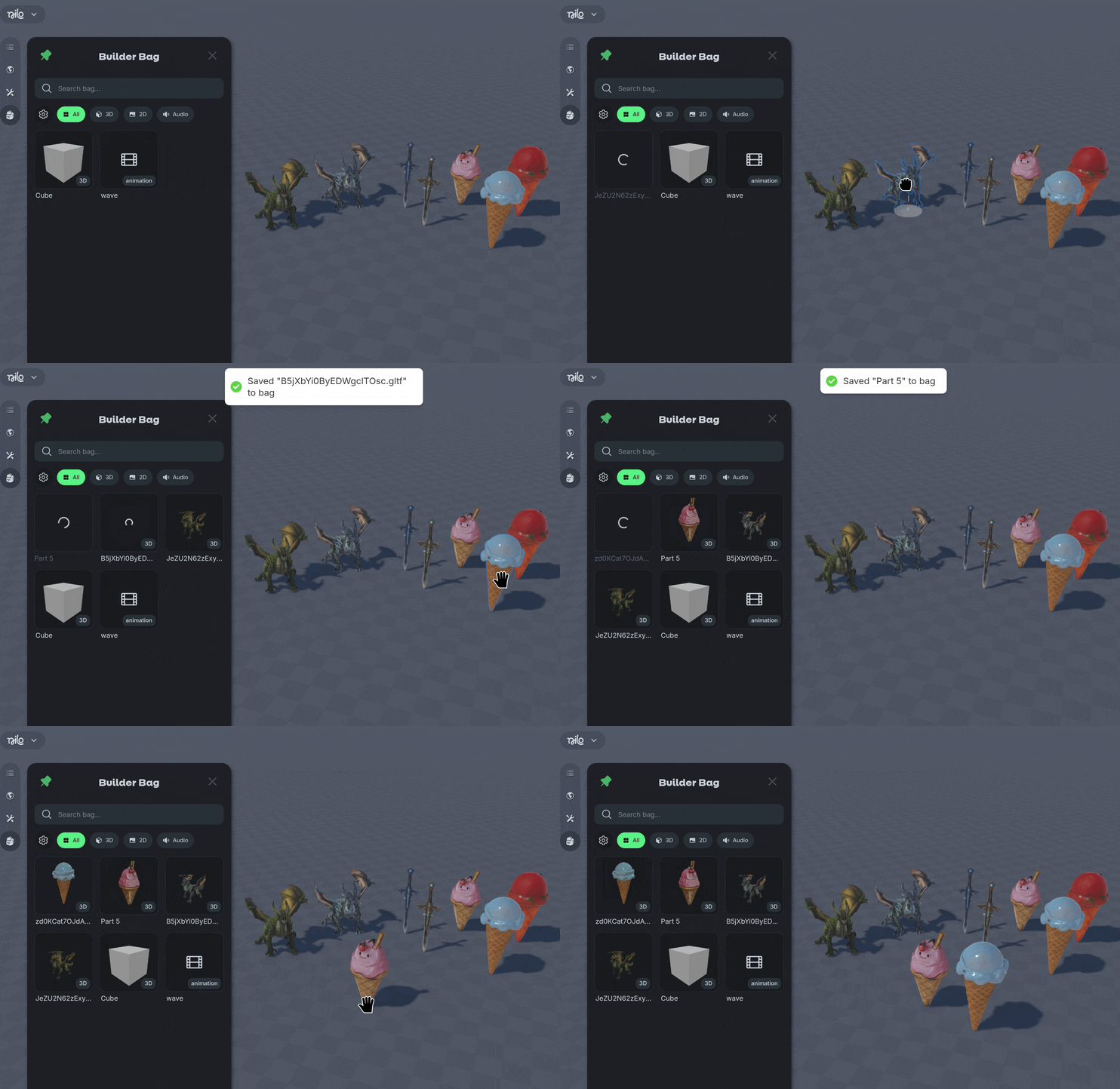
We’ve added your very own personal asset library with the Builder Bag! Store 3D files, 2D images, or audio files in your Builder Bag and use them across any Nilo World with a simple drag and drop system!
Drag files in or out of a World, even in places like the Idea Forge and Workbench to quickly reuse and remix your objects. You and also use “B” to save objects to your bag, and “Tab” to open Builder Bag.
Access your Builder Bag using the 🎒 Backpack Icon at the top left of the screen.
⏯️ Sandbox & Spectator Mode
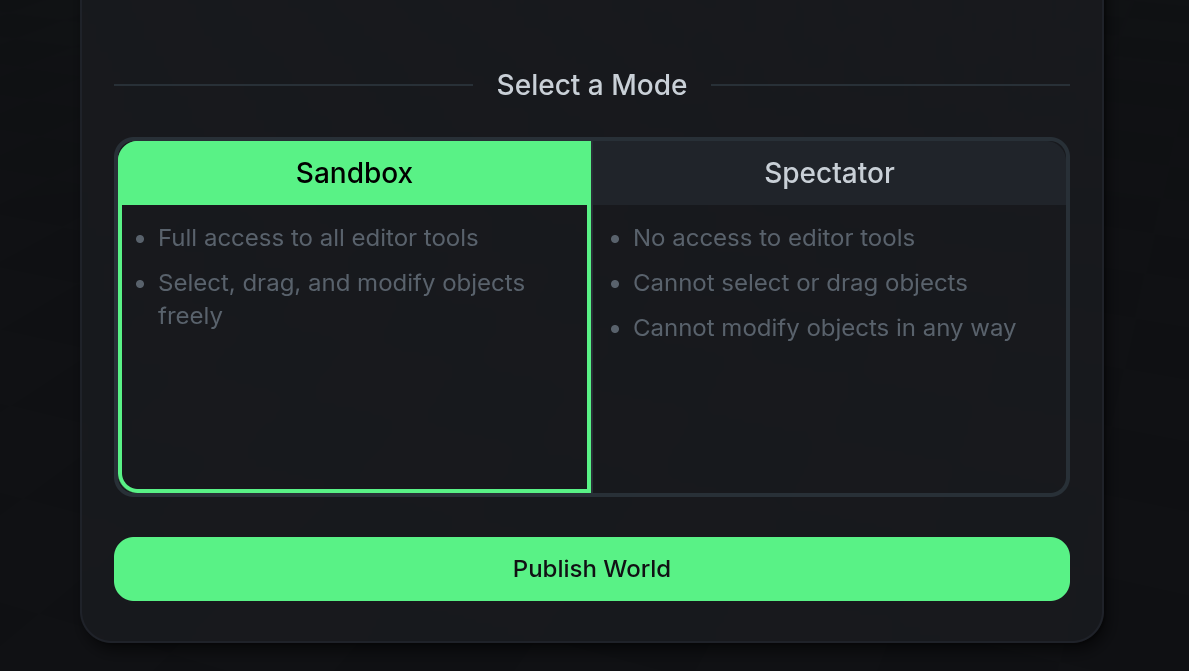
Protect your published worlds with the new Spectator and Sandbox modes when you share Worlds with others in the Nilo community! Sandbox mode allows all editing tools to be enabled, meaning other users can change and collaborate in your World. Spectator mode disables object modification so your world for other users, keeping it preserved and only modifiable by you. You’ll still have a private copy of the world you can manage using a Source and Live function.
🤝🏻 Collaborator Permissions
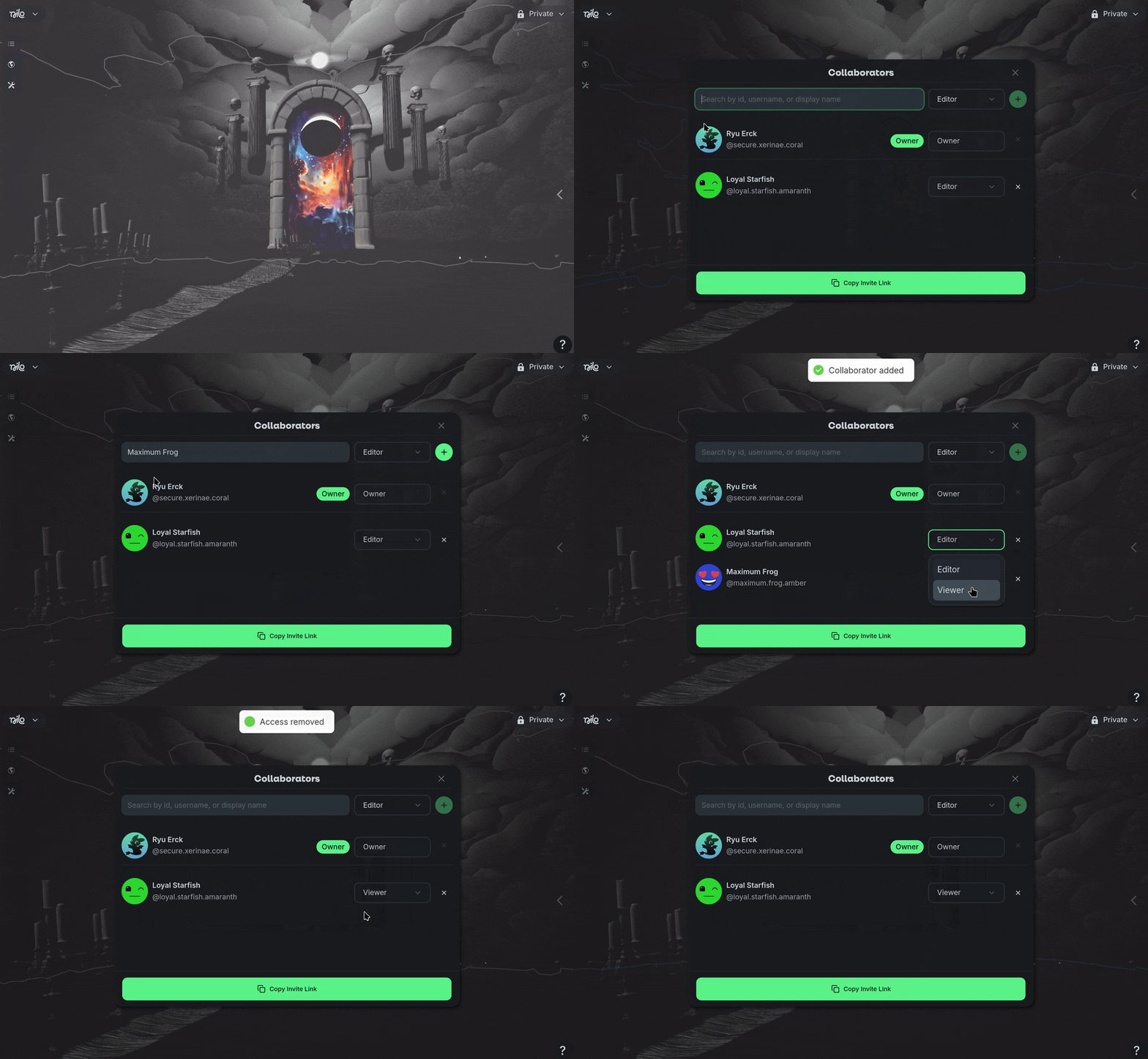
Co-creating in Nilo is now managed through Collaborators! When you own the World, you can edit the Collaborator settings in the Main Menu on the top left of the screen. Search for the user you want to collaborate with and add them to your World as an editor or viewer, without needing to publish your World.
🤖 Ask AI How Tos
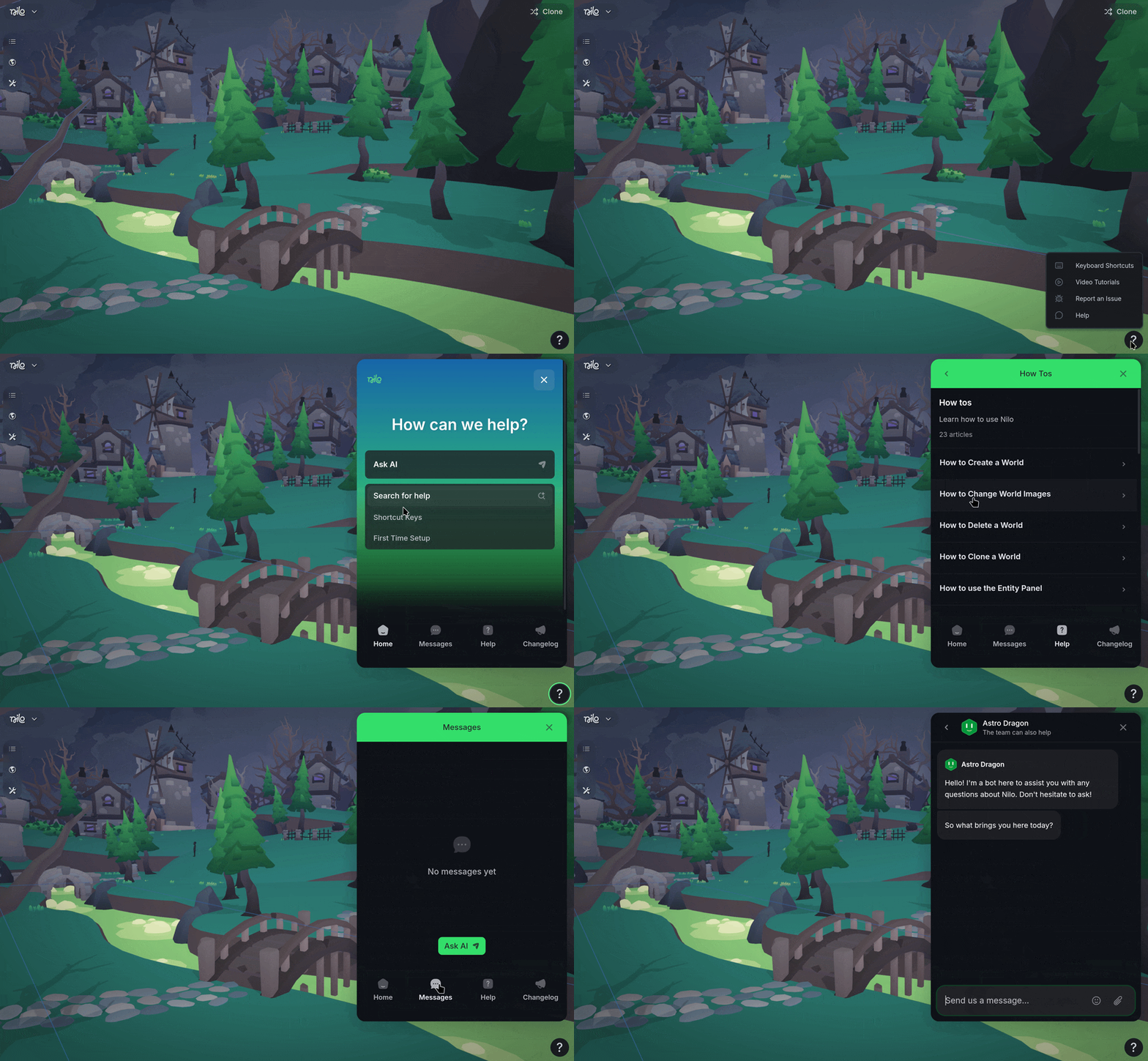
Got a question about Nilo? We have a new answer! Nilo now has a documentation hub learning all things Nilo! To find it, use the “?” button on the bottom right side of the screen and select “Help”! You can look up what you want to do, or Ask AI your question! We also have Video Tutorials available if you prefer to watch how to do something.
Support related inquiries should also use the message function during business hours for help with account issues, billing, or other questions about Nilo.
🎁 Nilo Rewards
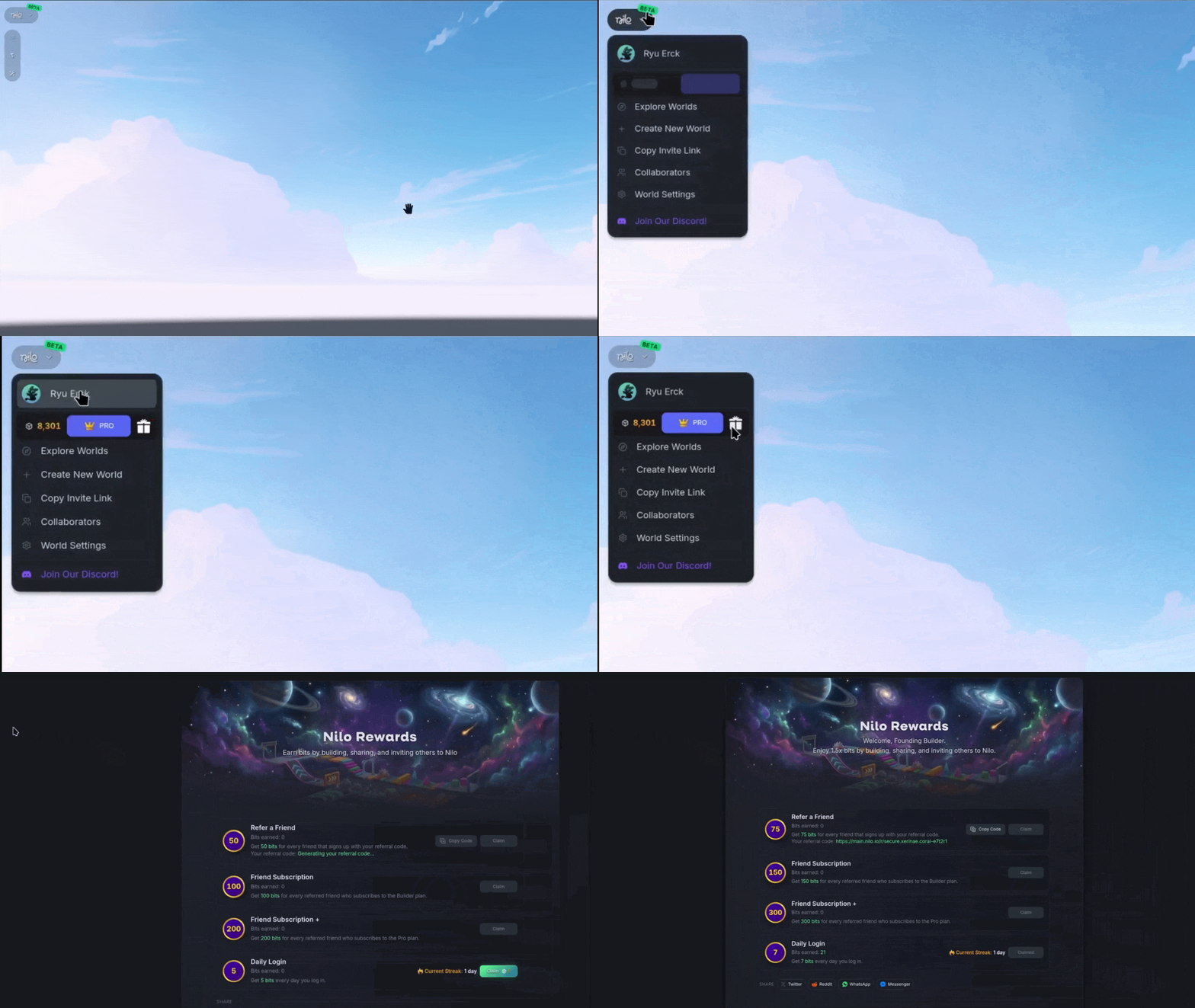
Nilo Bits are here! Bits are used when generating content, and are given through monthly Subscriptions or bought with one-time payments. You can also earn Bits for free when building, sharing, and inviting others to Nilo. You can access Nilo Rewards and earn extra bits by selecting the Gift Box icon or on https://www.play.nilo.io/rewards
💡Changes & Fixes
Added a new AI Model, Trellis for 3D asset creation. This model sits at a middle ground between speed and quality and is our new default option when first starting in Nilo. It allows you to adjust the Model Settings to aim for a specific polygon count from 1,000 to 2,000,000!
Removed Tripo 3.0 and Low Poly model generator options. To get low poly results using a model generator, Select the ⚙️ Gear Icon again after choosing a model, and modify the Model Settings.
Added Gemini 3.1 Flash Lite to the Code Editor to increase the speed of code generation by 10x.
Added a new Source and Live Version to published Worlds to allow you to make edits on your published worlds without affecting other users playing it.
Added a new Animation section to the Inspector panel, allowing you to modify the speed and other properties on a character.
Added the ability to rename your display name and profile picture in Nilo when on your profile page.
Added the ability to change the World name without having to republish the world.
Changed how the Level of Detail (LOD) slider previews the model so the polygons are visible while dragging the slider, not only after release.
Updated a lot of our visuals for loading screens, UI, and generation of objects.
Removed the Material and Object Origin (Pivot Point) options from the Radial Menu, they still exist in the Inspector Panel!
Added an STL file export option, for things like 3D printing!
Added the ability to export multiple animations in the .GLB file format.
Fixed an issue where some animations did not import reliably.
Fixed an issue where animations did not apply when using the Radial Menu.
Fixed distorted screenshots when publishing a World.
Fixed a black screen error that occurred when loading a world where WebGPU rendering was not supported by your hardware.
Fixed a bug where the Ground and Sky texture slots in the Environment panel was showing a generic 'No texture' title instead of their texture type.