November 19th, 2025
Updates
November 19, 2025 Update
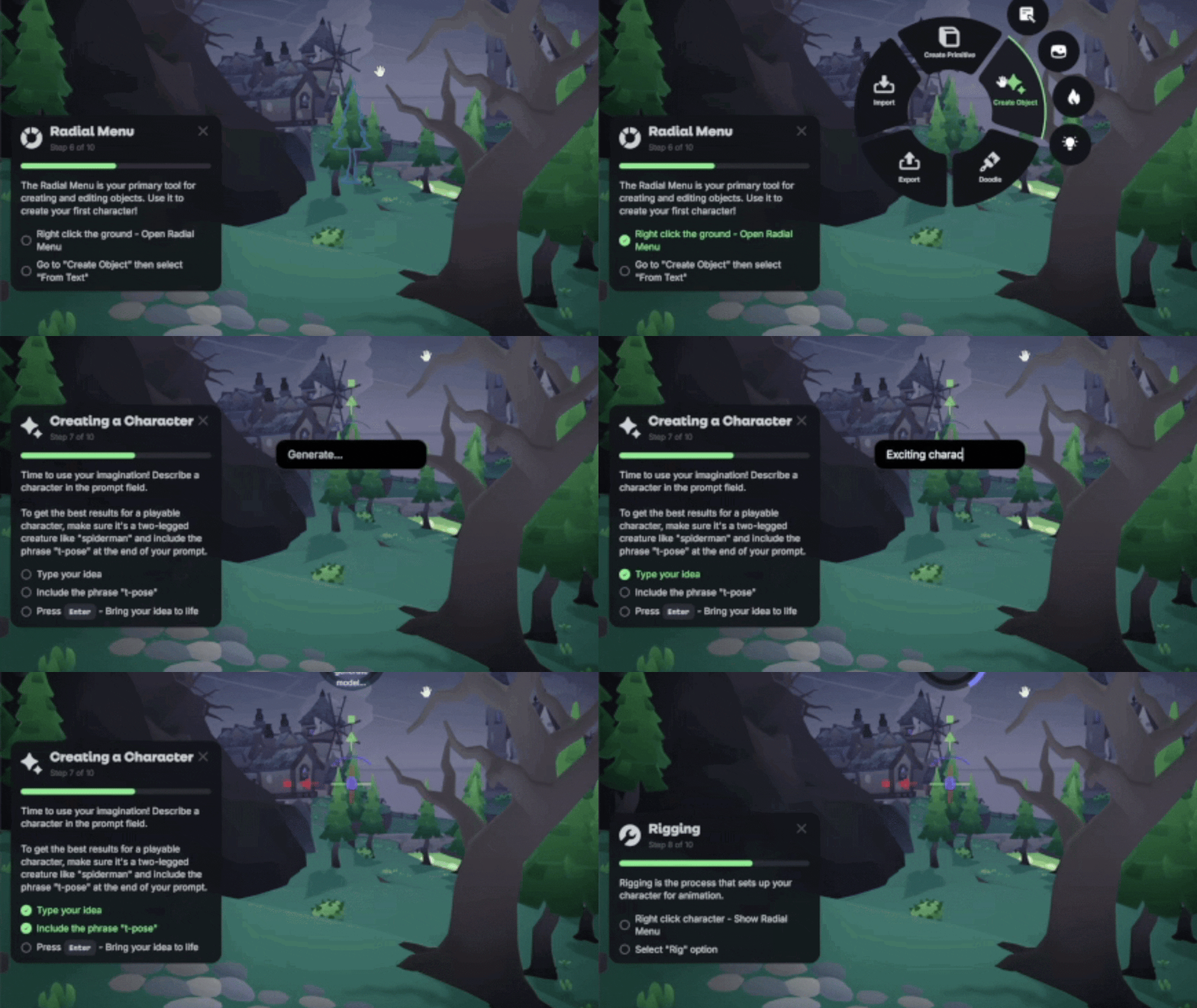
🎓 Tutorial Missions
We added a guided mission-based tour to help you learn the essential tools in Nilo! Alongside the mission system you’ll get keyboard shortcut popups when using an action to make it easier to remember your options without having to dig into documentation.
✨ Multi-Select Improvements
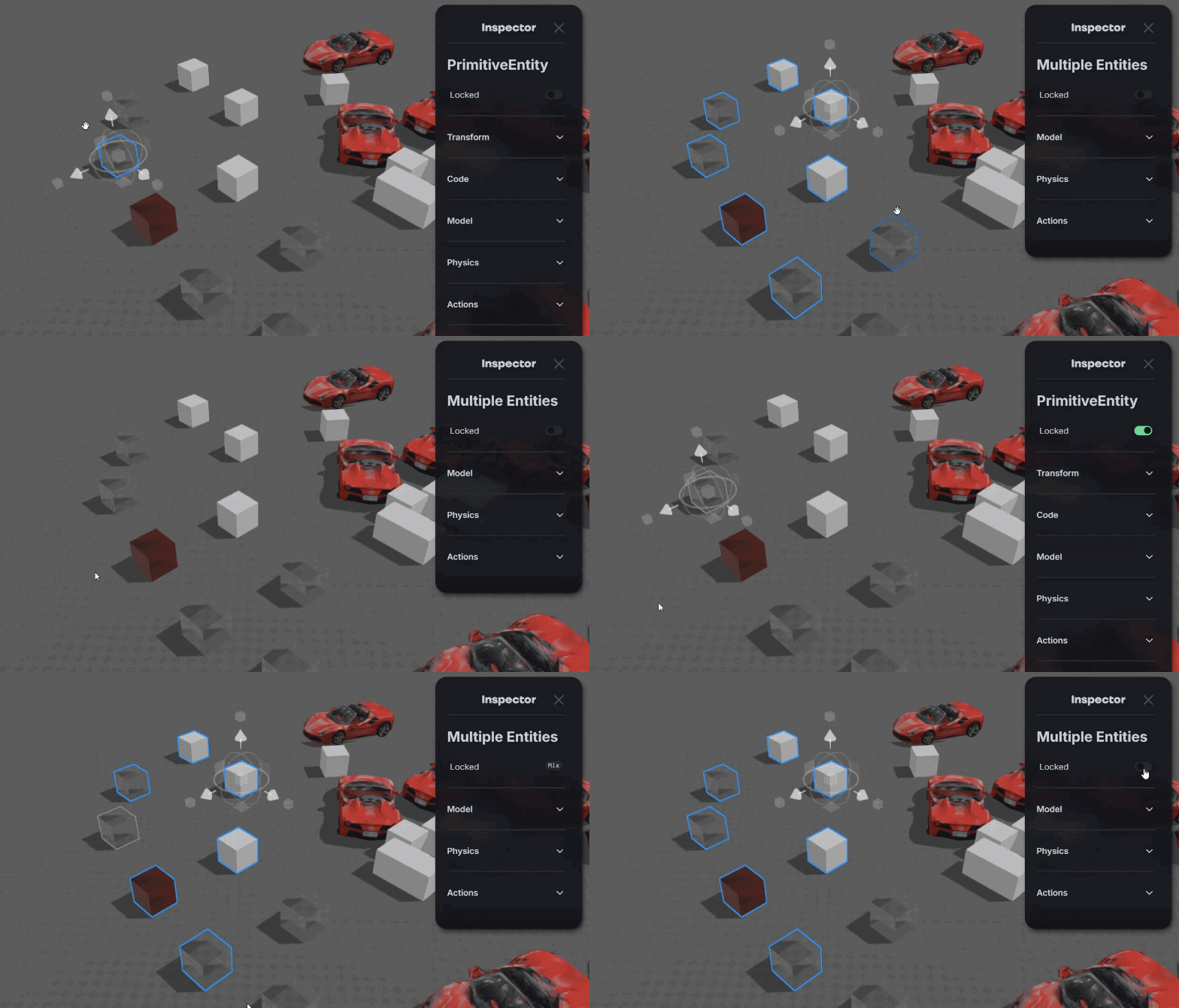
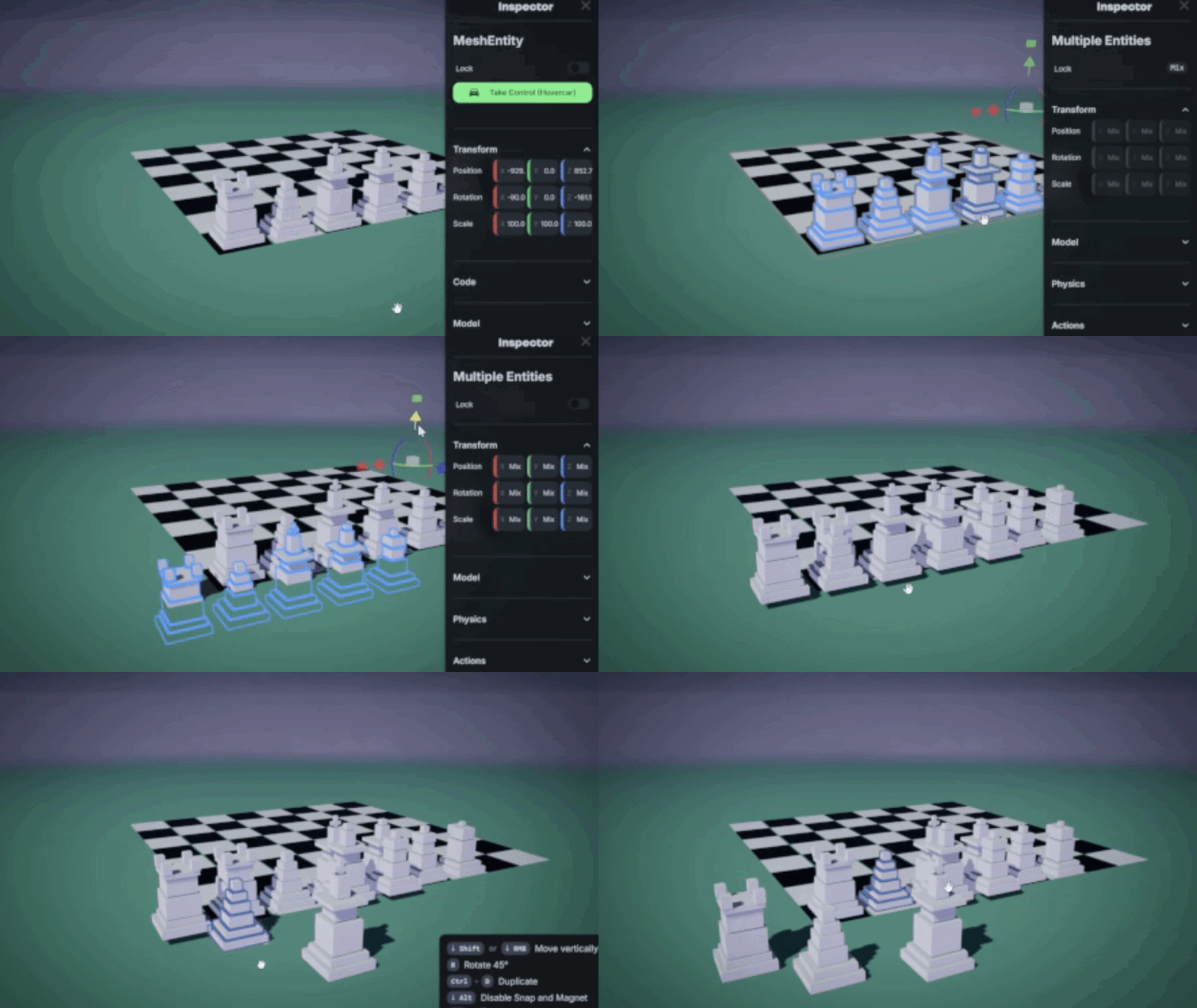
The Inspector panel now works with multiple objects selected. You can select a group of primitives and change their color, locked status, or transform them all at the same time.
When selecting multiple objects, the pivot point will default to the center of all objects. You can select objects while holding Ctrl to change the pivot point. Ctrl-Click an empty space to center the pivot point again.
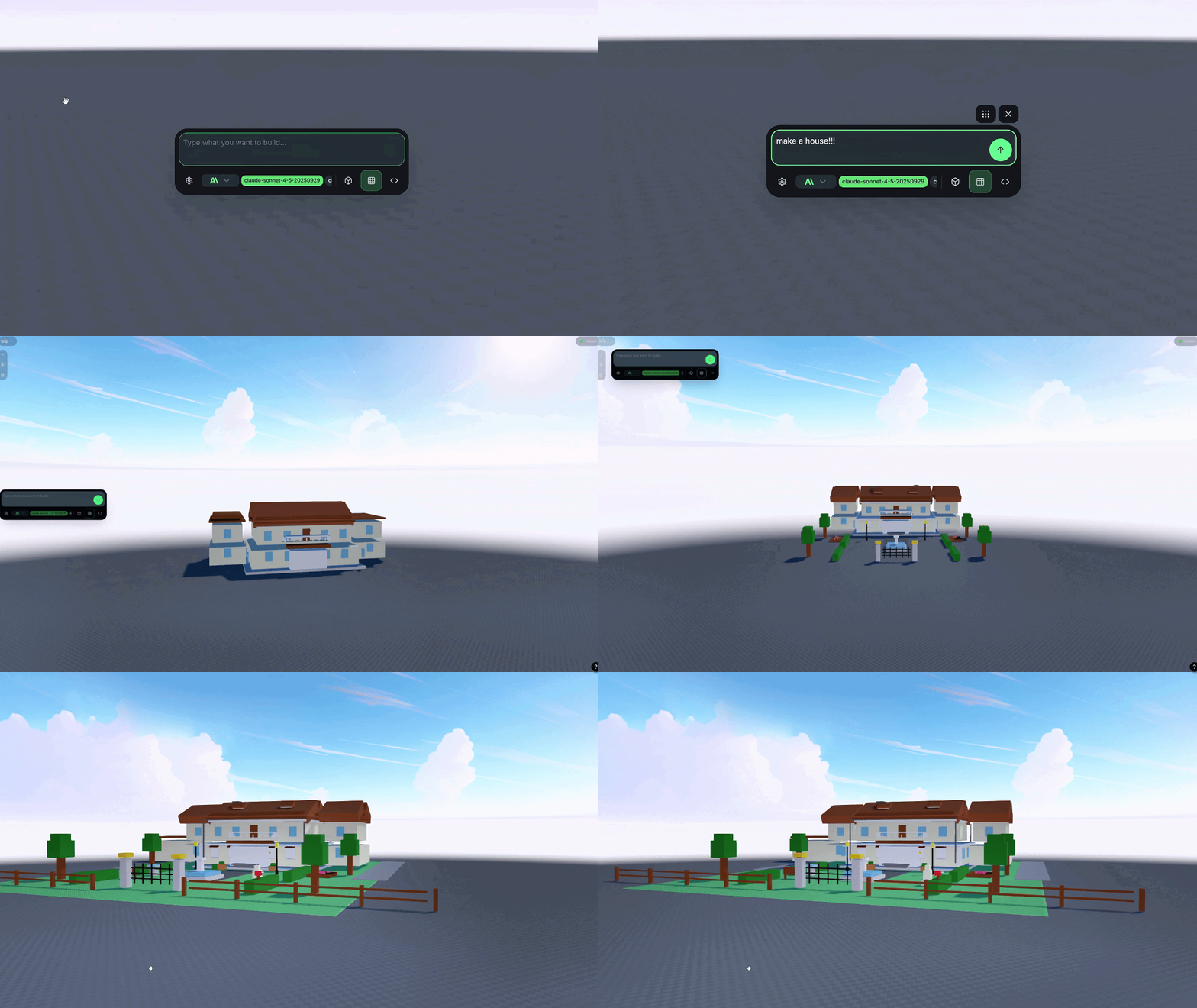
🏰 Primitive Model Panel
We replaced the AIPromptPopover with a new, more powerful Primitive Model Panel for AI-powered 3D model generation using primitive shapes. This change introduces support for multiple AI providers and models, giving you more control over the generation process.
⚙️ New Transformation Gizmo
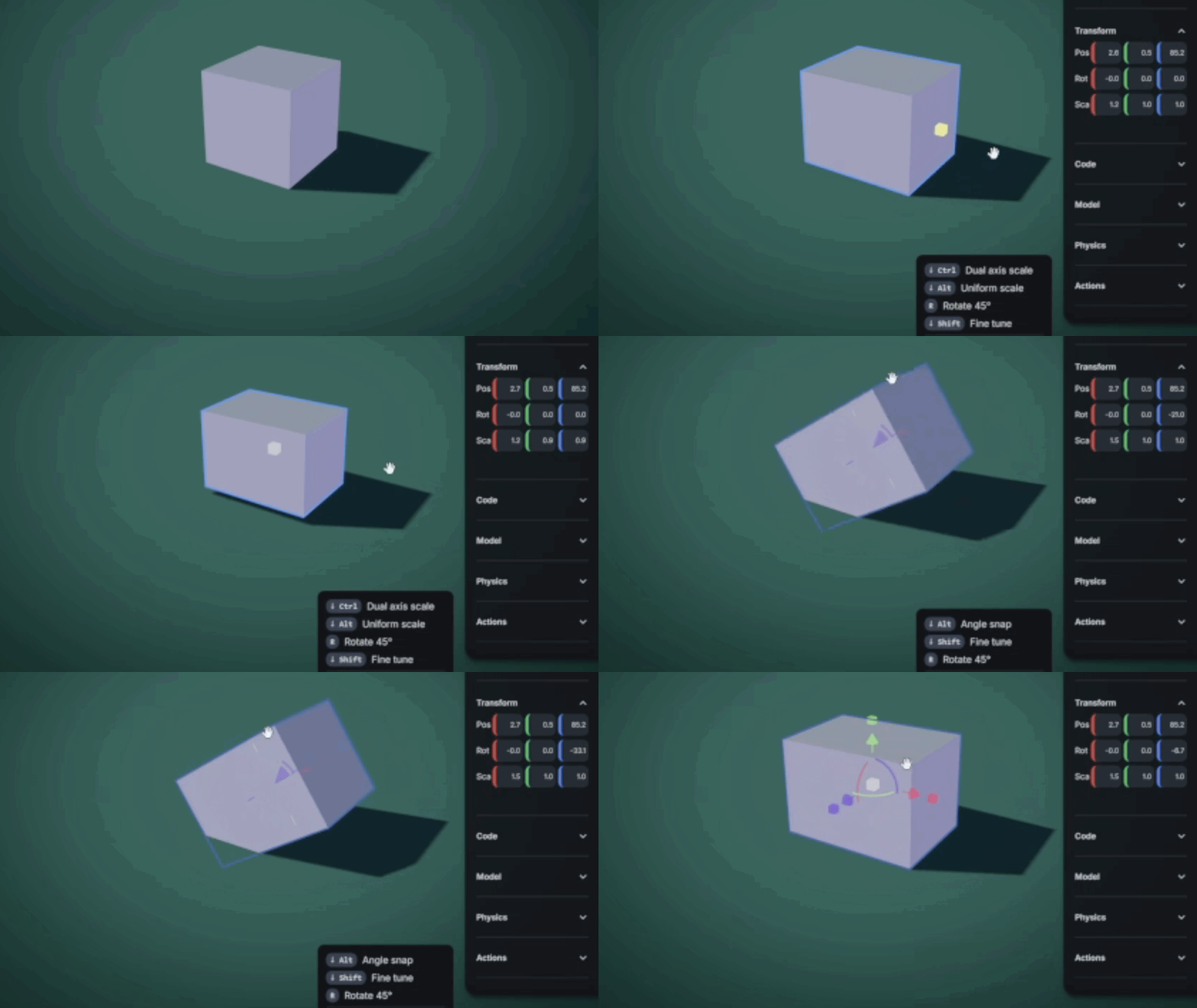
We overhauled the transformation gizmo, making it more intuitive when rotating and scaling, upgrading the feedback with animations, and adjusting the keyboard shortcuts!
Scaling Controls:
Introduced "one-sided" and "center-based" scaling modes, allowing objects to be scaled from their edge or center.
Added a keyboard shortcut (Alt+U) to toggle the default scaling mode
Added modifier keys during drag:
Ctrl for the opposite scale mode
Alt for uniform scaling across all axes.
Rotation Controls:
Reworked rotation logic to be more predictable and user-friendly.
Holding the Alt key allows for rotation snapping in 22.5-degree increments.
Other Controls:
Added a "precision mode" (hold Shift) for finer, slower adjustments during transformation, scaling, or rotation.
💡Changes
Duplicating grouped objects now maintain their hierarchy in a separate new object. Making a chess board should be easier with now. Don’t hang the Rook!
You can set the pivot point of group objects to be bottom center, center or native.
Added a new debug mode to visualize colliders using (Alt-C). You can also change the collider in the inspector panel.
Added a toggle for ground surface snapping using (Alt-G). This helps you not accidentally snap objects to the ground level if you’re building vertically
Added the ability to rename and delete entities from the Entities Panel.
Added the “Visit” button back on the Explore page to make it easier to join existing worlds.
Tweaked the inspector panel to allow for more standardized control of position, rotation and scale.
Improved the mouse wheel movement to allow for simultaneous zoom and movement.
A new UI element displays context-sensitive keyboard shortcuts to the user.
Improved generated positions, orientations, and scaling on objects.
Improved the physics system to restart and prevent crashes when a loop error occurs.
The "Entities" panel now displays entities in a tree structure that reflects their grouping hierarchy.
The "Remix World" feature has been consistently renamed to "Clone World" across the UI.
Continued optimization work on FBX files, improving how the bones are handled.
🔧 Fixes
The ground texture no longer explodes when you attempt to upload an unsupported file type.
Fixed an issue where dragging an object would accidentally allow for locked entities to be modified due to undo/redoing.
Fixed an erroneous progress bar from appearing when duplicating meshes.
Fixed a bug where duplicating a mesh caused issues with the physics properties.
Fixed a bug that caused an object's scale to reset to its default value at the start of a drag operation.
Fixed several issues related to snapping, it should feel a lot more consistent and easier to use!
Fixed a bug where the "Redo" operation failed after duplicating an object (Ctrl+D) while dragging it with the transform gizmo.
Fixed an issue that caused 3d models to indefinitely stay at 81% completion.
Fixed a bug where duplicating a selection of entities while dragging would only duplicate the single entity under the cursor, not the entire selection.