November 19, 2026 Update
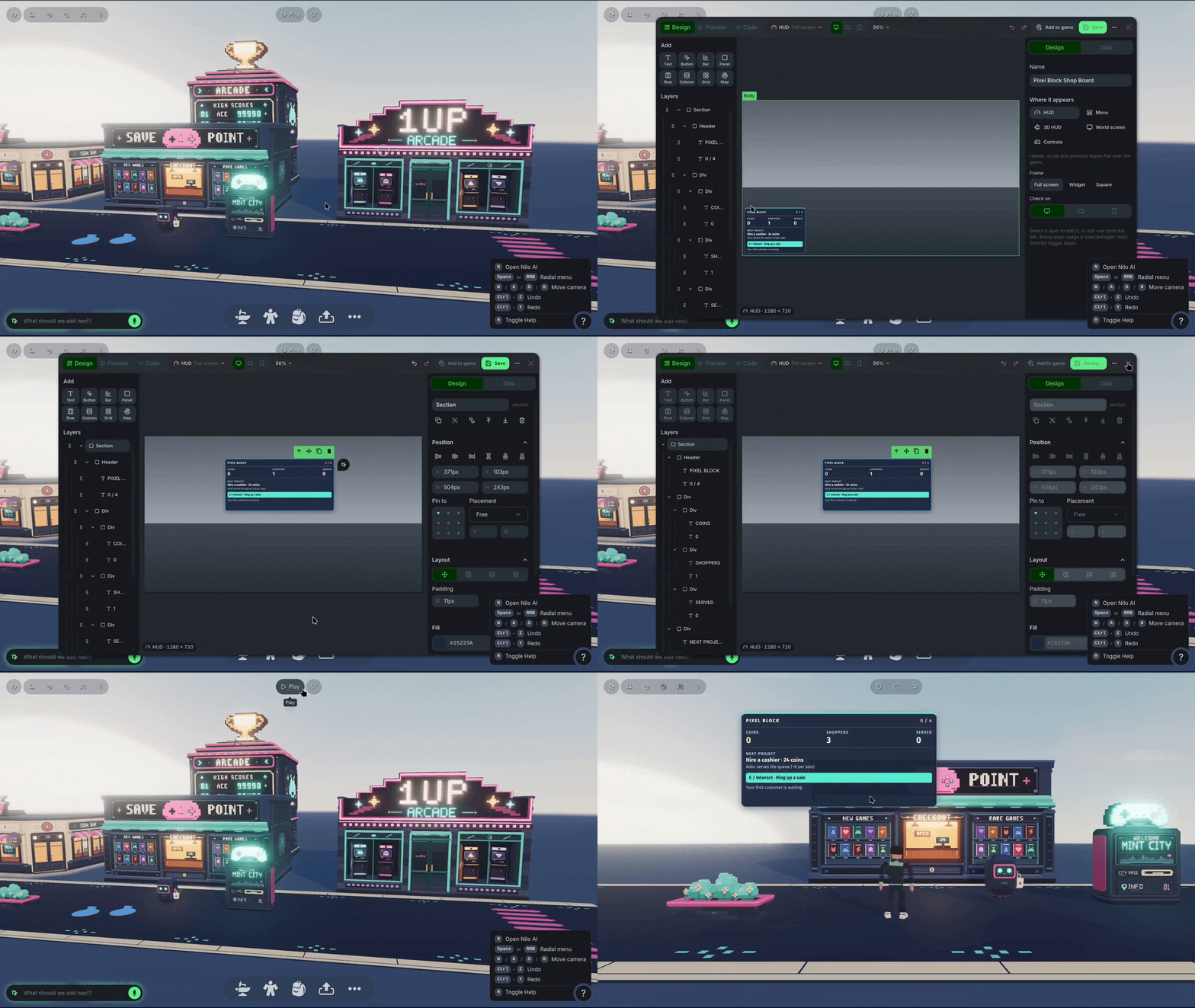
🎛️ UI / HUD Designer
You can now directly edit the interfaces for your games! A new UI / HUD option lets you build menus, in-world screens and on-screen touch controls visually. Open it from … More, ****🪟 UI / HUD in the toolbar.
You can build UI from scratch, or edit existing UI in your World built by Nilo AI. Use the Add buttons to add new UI elements and keep things organized in the Layers section. Then adjust the look visually or using the Design tab and link it to your game elements using the Data tab.
The Mini Agent can also handle any of these adjustments so you can design by hand, by prompt, or both!
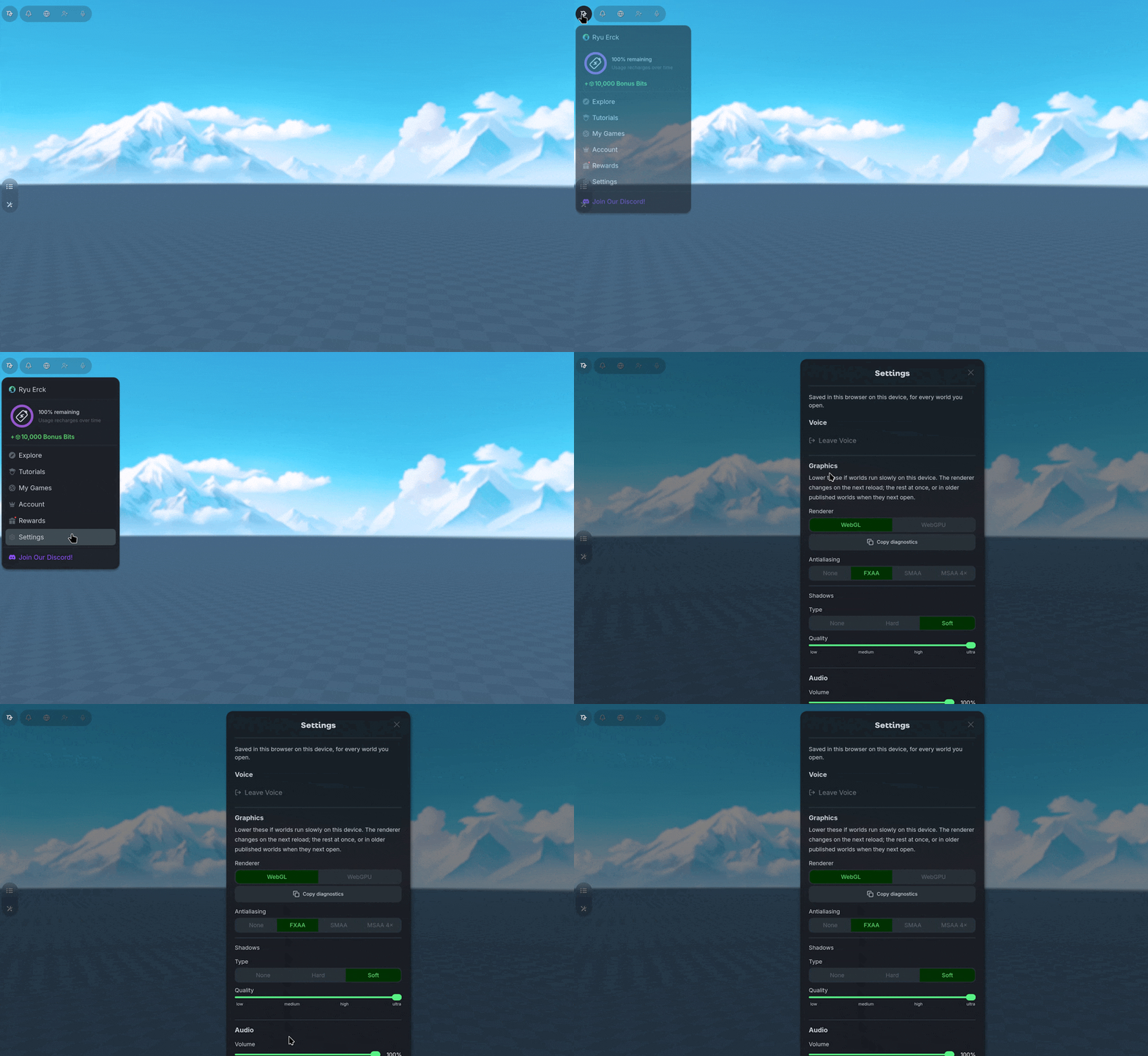
⚙️ Global Settings
Everyone now has access to a Settings menu to globally adjust your graphics and audio regardless of the World or Game you are playing in. Open the Nilo menu to turn things up for a nicer look or down for a smoother frame rate.
💡 Changes & Fixes
Several UI buttons have moved around related to the Builder Bag, Notifications, Collaborators, History, and Voice Chat.
Nilo AI now restores your open session when you refresh the page.
Added a Cloneable toggle so you can control whether others can clone your game.
Sun shadows quality is now improved and stays sharp up close and follow your view.
Added user search to Explore, so you can look up creators, not just games.
Added the option to regenerate a game's cover image.
Restored the pipe, wedge, stairs and arch primitives, with segment settings.
Raised upload limits to 128 MB for models and 64 MB for textures.
Upgraded video-to-motion to Uthana 3.0 for better results from a reference video.