September 10th, 2026
Updates
🔋 Bits Battery
Coming within the next month, Nilo is changing how Bits work. Today, if you use up your monthly Bits, you’re stuck waiting for multiple weeks until your reset date to create again. That’s frustrating, and difficult to plan out your wallet for. So we’re getting rid of the monthly wall entirely and changing how the wallet works.
With the Bits Battery, your ability to generate is based on a charge. The Bits Battery refills continuously over time instead of resetting once a month.
We’ve put together a short FAQ here to answer your questions that will be maintained leading up to the change: https://nilo.io/blog/introducing-bits-battery
💡 Changes & Fixes
Added the ability to toggle the Visibility of objects in the Inspector Panel.
Added and refreshed new Tutorials on the Explore page with new Getting Started and UGC export guides.
Added a 4,000 polygon count option to most 3D model generation settings to help for Roblox-specific models.
Fixed a issue where rigging caused a character to lean incorrectly.
Fixed some UI shifting out of frame on mobile while typing in a text field.
Fixed undo not working after a move that was interrupted by duplicating an object.
Fixed an issue where joining a world on a player’s profile would clone it instead.
August 27th, 2026
Updates
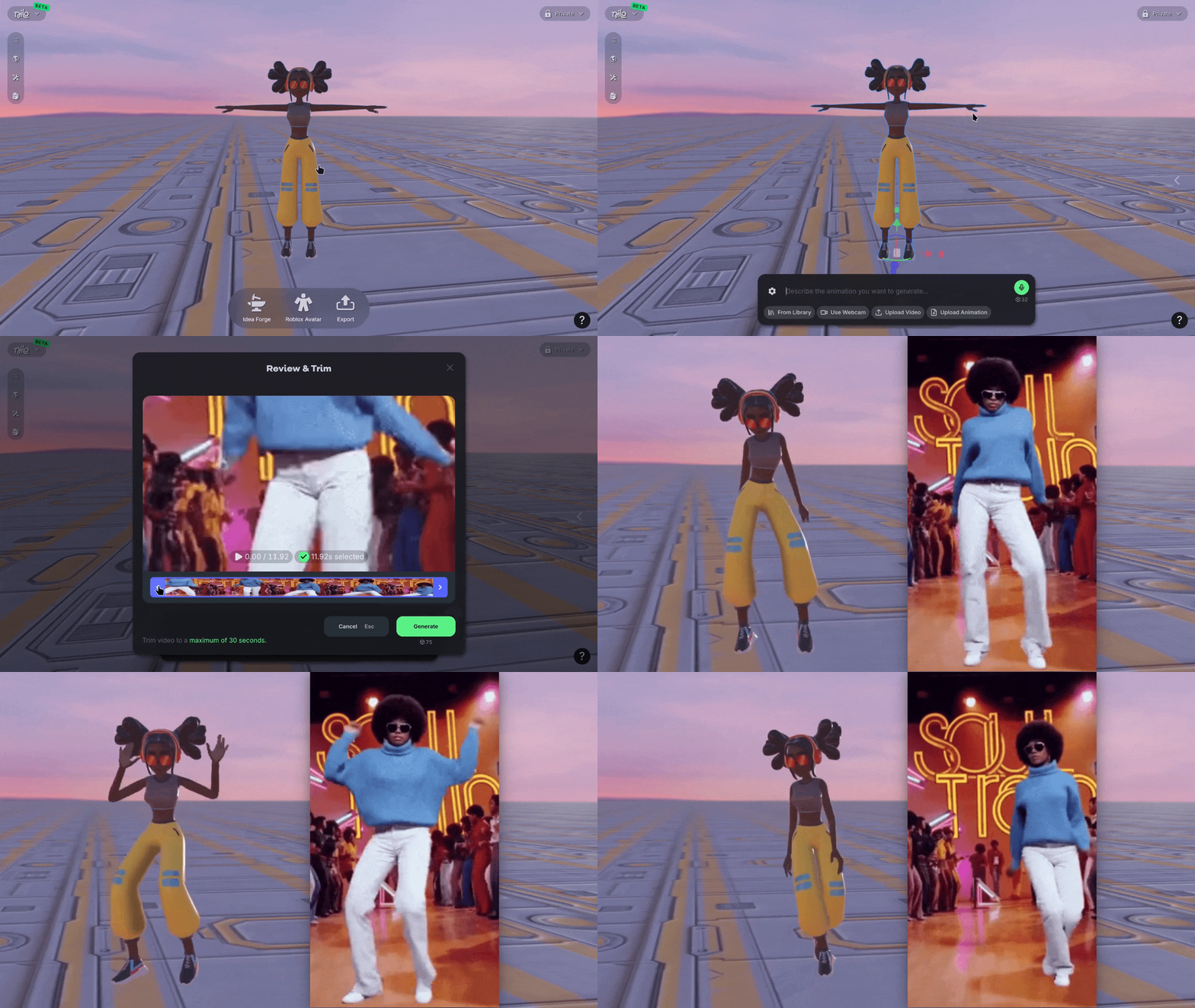
📹 Video to Animation
You can now generate specific animations for your characters based on reference video or capture your own with a webcam! When creating an animation on a rigged character, select Upload Video or Use Webcam to create then trim the footage to what you want to use.
🤖 Meshy 7
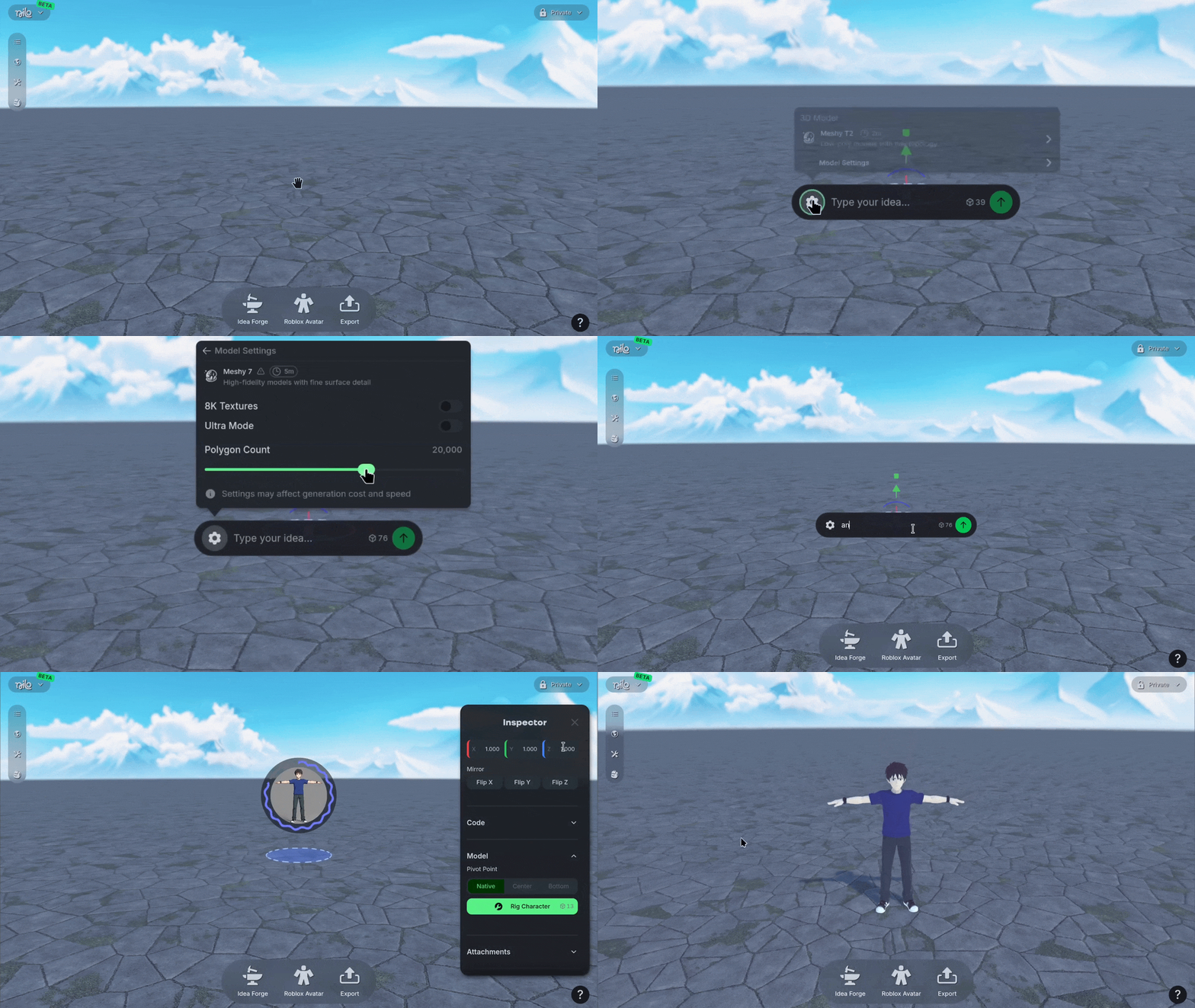
We added Meshy 7 as a new 3D model generation option! It's built for clean, game-ready models, and it comes with a polycount setting between 100 and 300,000 so you can dial in to what your project needs. Switch to it using the ⚙️ Gear icon when you generate to see how it can suit your needs.
💡 Changes & Fixes
Significantly improved the export speed of RBXMX models.
Improved attachment point overlays so they scale to match the object you're attaching to.
Improved the messages shown when a generation fails so it's clearer what happened.
Improved multiplayer so control hands off smoothly when a player's tab goes inactive.
Fixed a crash when using the send button in the Code Editor while collaborating.
Fixed Inspector Panel scrolling on mobile so you can reach every setting.
Fixed generated animation direction for Roblox Characters so they face the right way.
Fixed a crash that could happen when leaving a World.
Added the Search bar for Worlds back to the explore page.
Changed the Make 3D button in Idea Forge so it now stays visible but disabled until your image is ready.
Added the ability to filter Worlds on your profile page by Favorites.
Improved the Explore page's All, Featured, and New tabs so they load and page through Worlds correctly.
Fixed several issues with attachments, including objects appearing before their attachment point had loaded, undo an redo, and physics breaking after detaching.
Fixed an issue where you could enter a World before it finished loading.
August 10th, 2026
Updates
🧩 Attachments
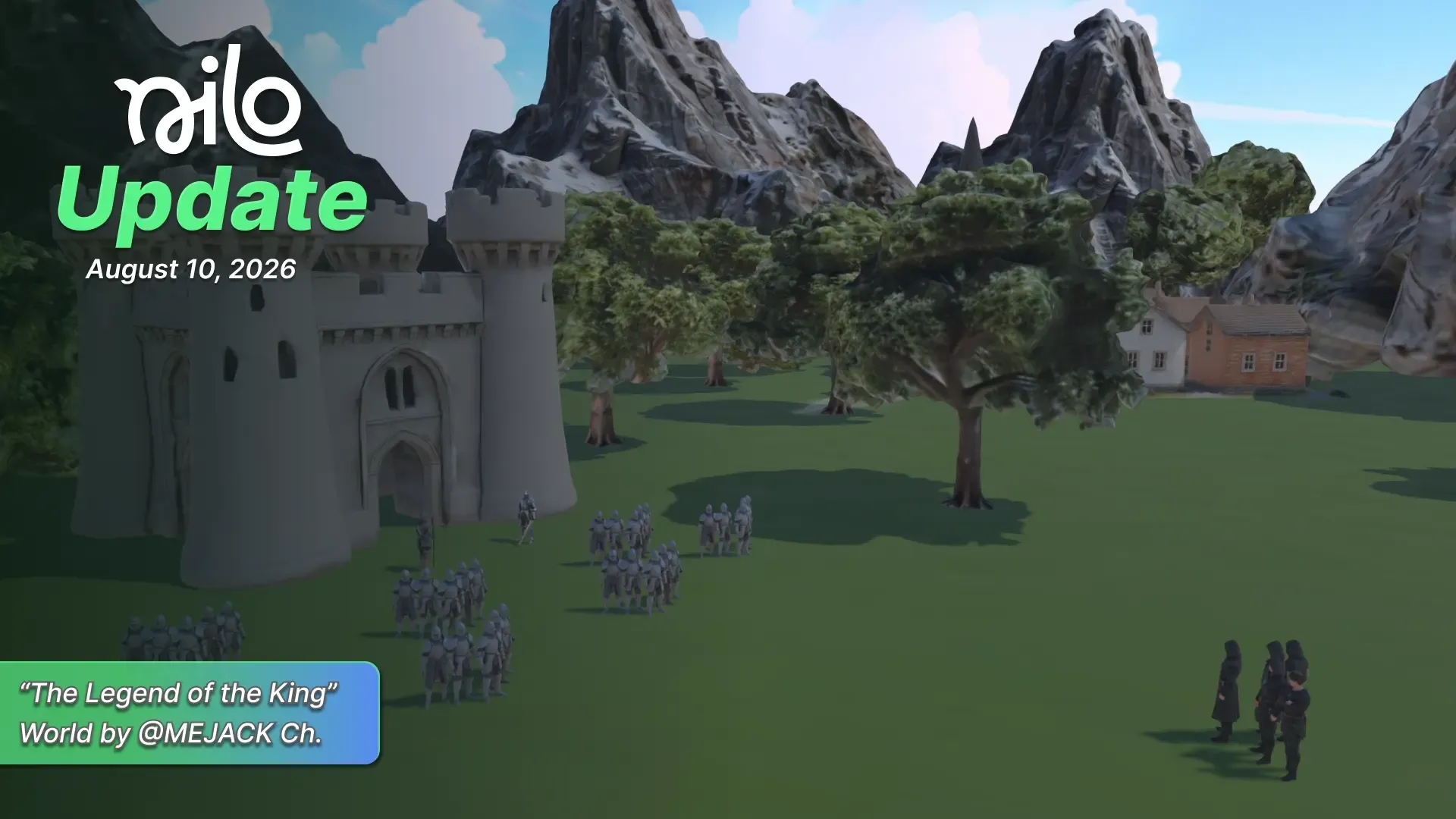
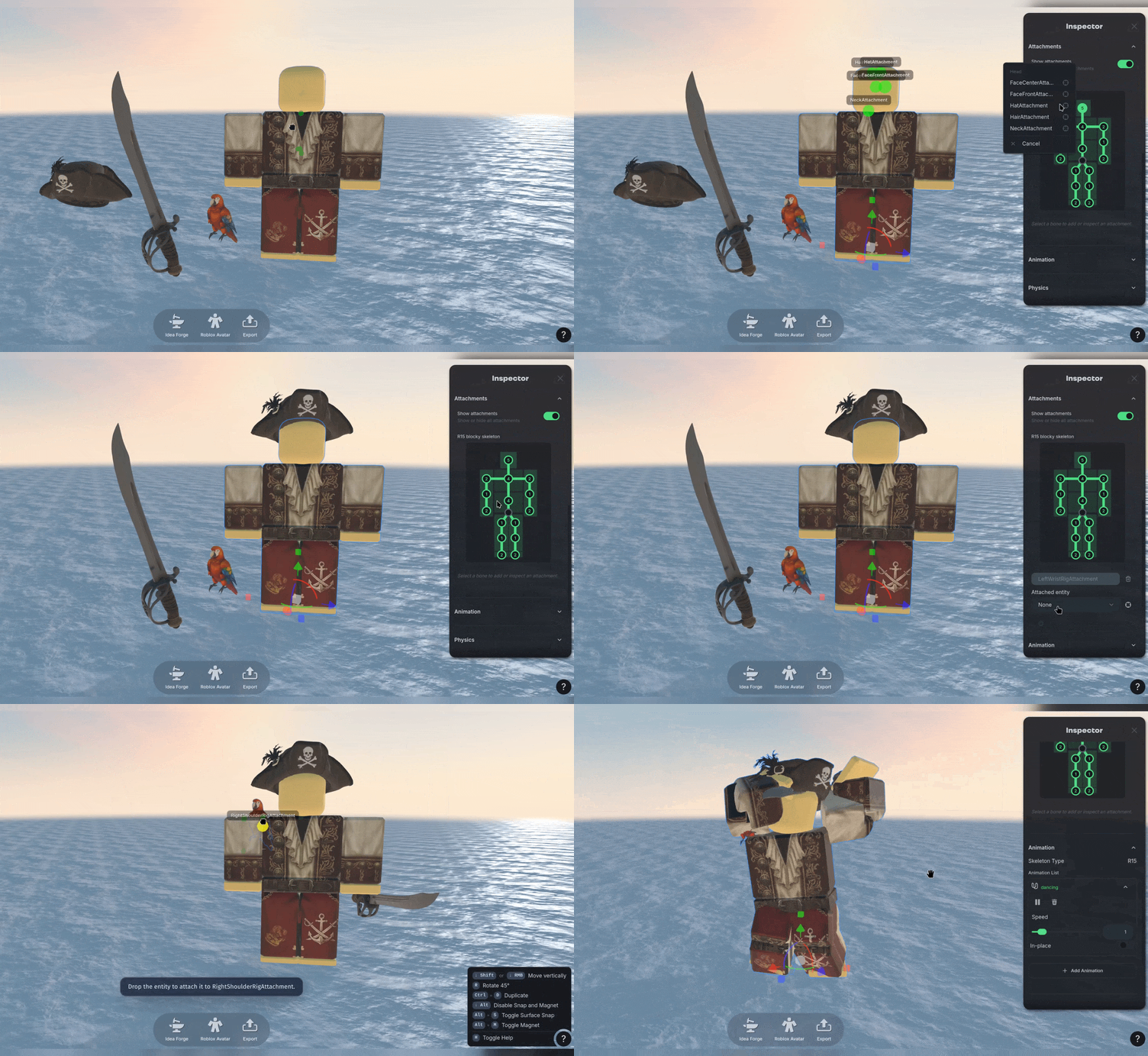
You can now attach 3D objects to your Roblox Characters! Select and drag an object onto an the avatar to see an overlay with attachment points where the object will snap into place. Then you can make any minor adjustments with the Gizmo or detach the objects using the Radial Menu.
Once the objects are attached, you can then export the entire character with the attachments using the RBXMX export button with a single click! You no longer need a subscription to export RBXMX.
🔑 Roblox API Keys
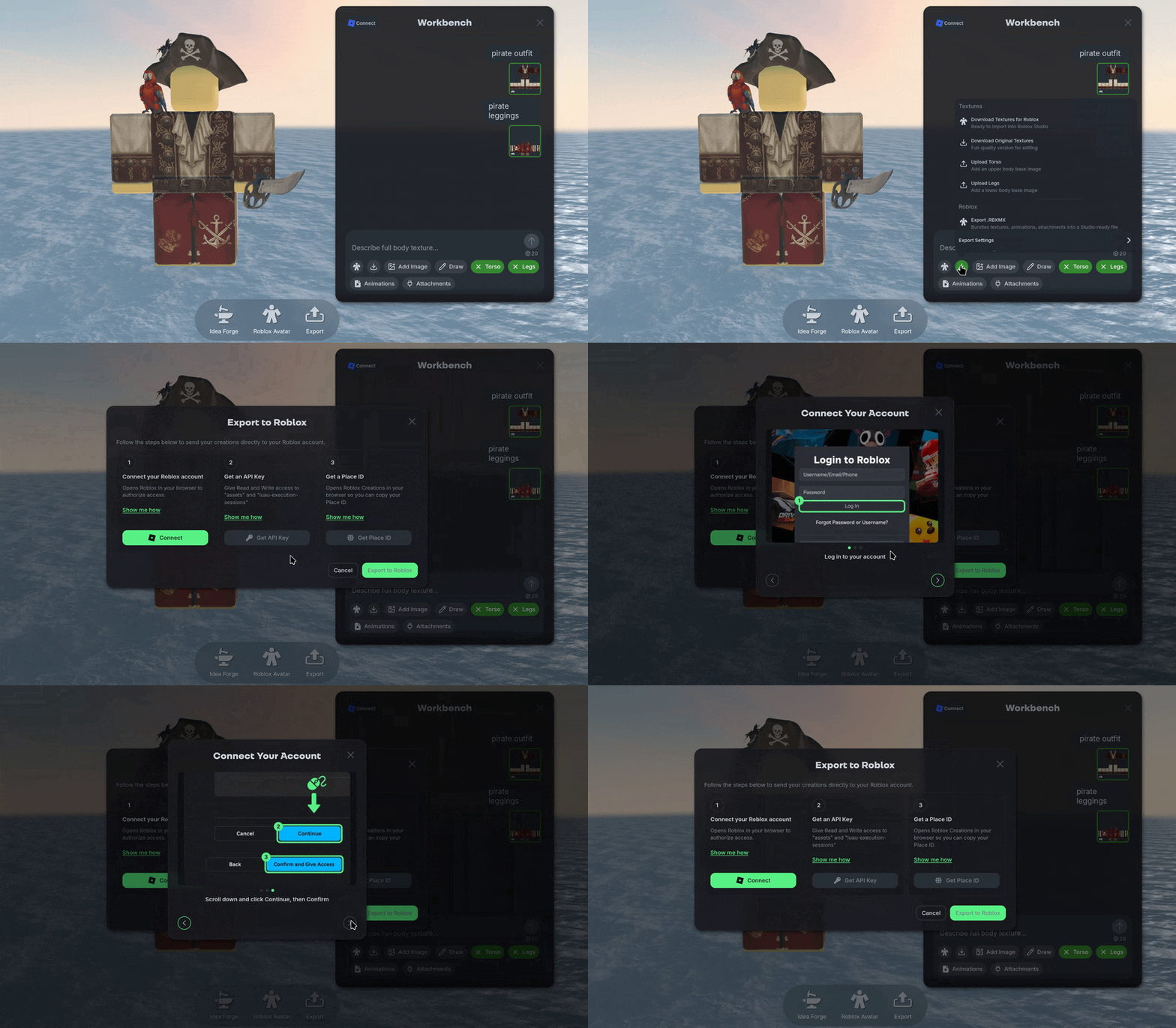
Exporting to Roblox just got more flexible! You can connect to your Roblox account and export your creations straight to your Roblox experience using your own API key.
You'll find the setup on your account page or in Workbench. Link your account, add your API Key and Place ID, and send your creation over directly to Roblox.
🎆 Particle Systems
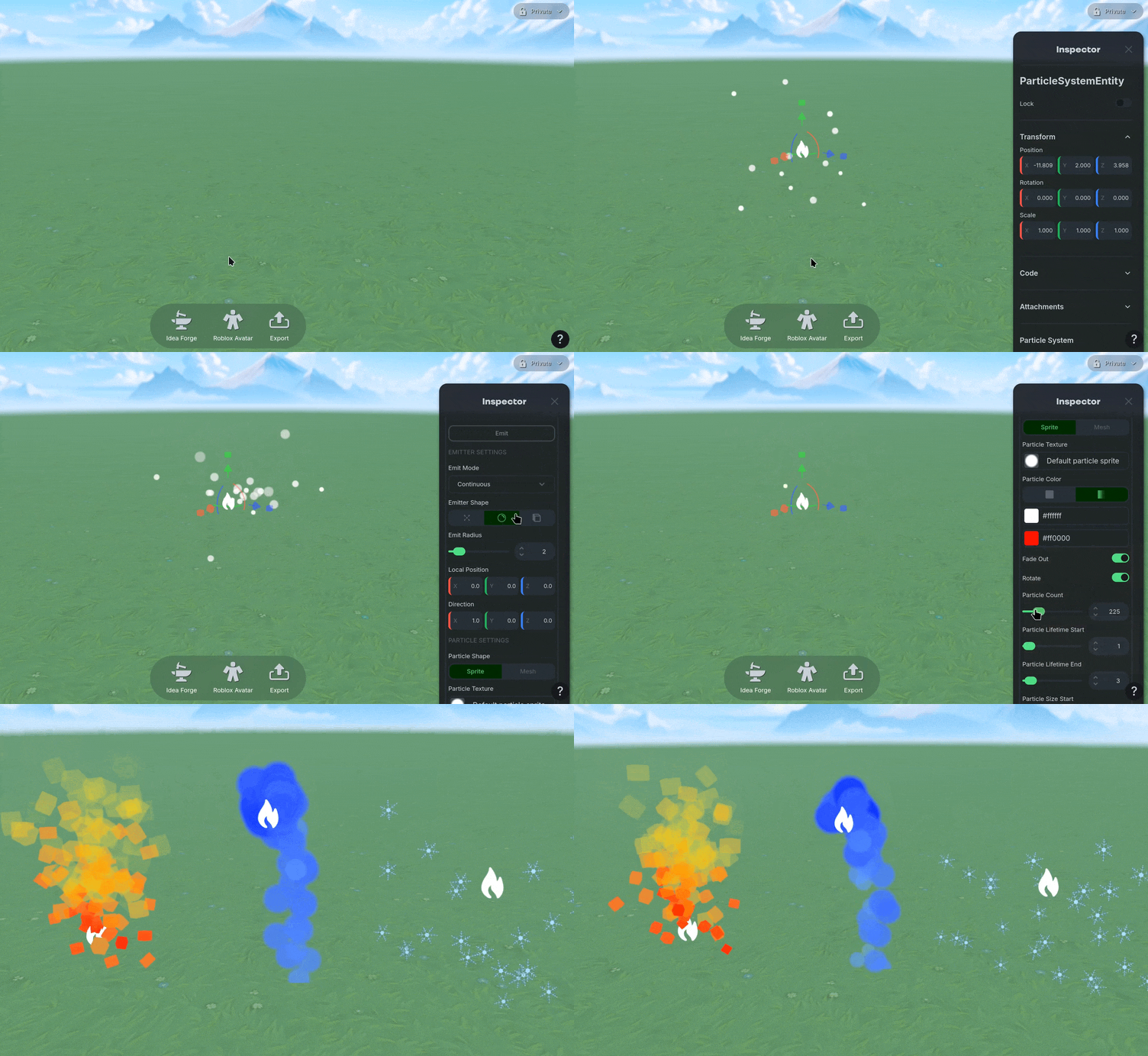
We’ve completely reworked Particle Systems! Right click an empty place in the world to Create Particles. Then select the particle object and open the Inspector Panel to adjust the look. You can adjust the type from Continuous to Burst, change the shape of the emission point, and dial in the particle count, size, opacity, gravity, and lifetime.
You can even use your own meshes as emitters, and drive each emitter's burst on its own. This is a brand new system built on a faster particle engine, and any older particle effects are moved over for you automatically. We recommend checking your older Worlds to see how older particle effects have changed and updating them as needed.
🌅 Skybox & Ground Presets
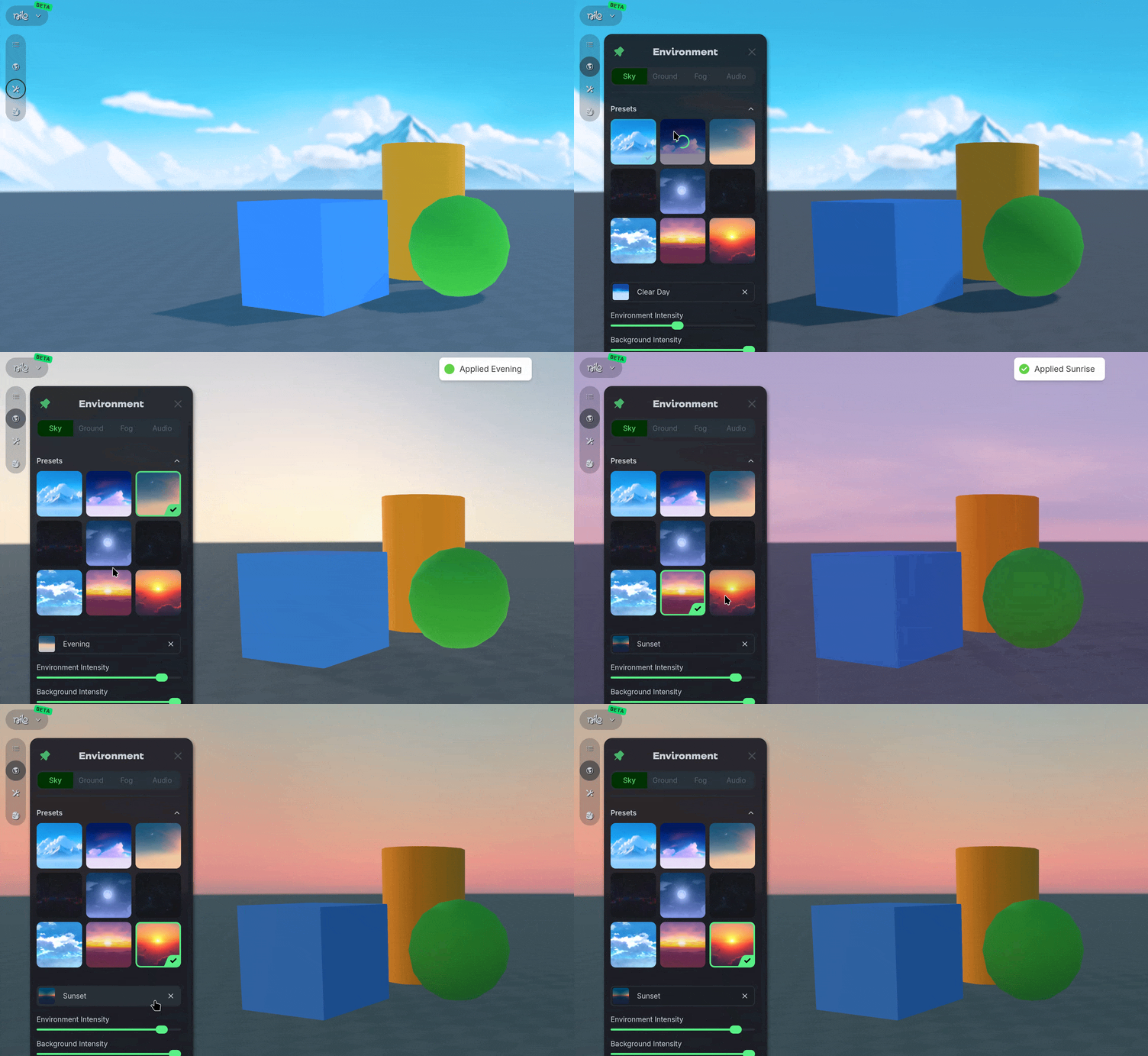
We added Skybox and Ground presets to the Environment Panel! Pick a look from the preset grid and it applies the sky, lighting, and ground in a single click.
It's a quick way to go from a blank room to a scene that feels right before you start building, and you can still fine-tune everything afterward.
🧭 Explore Updates
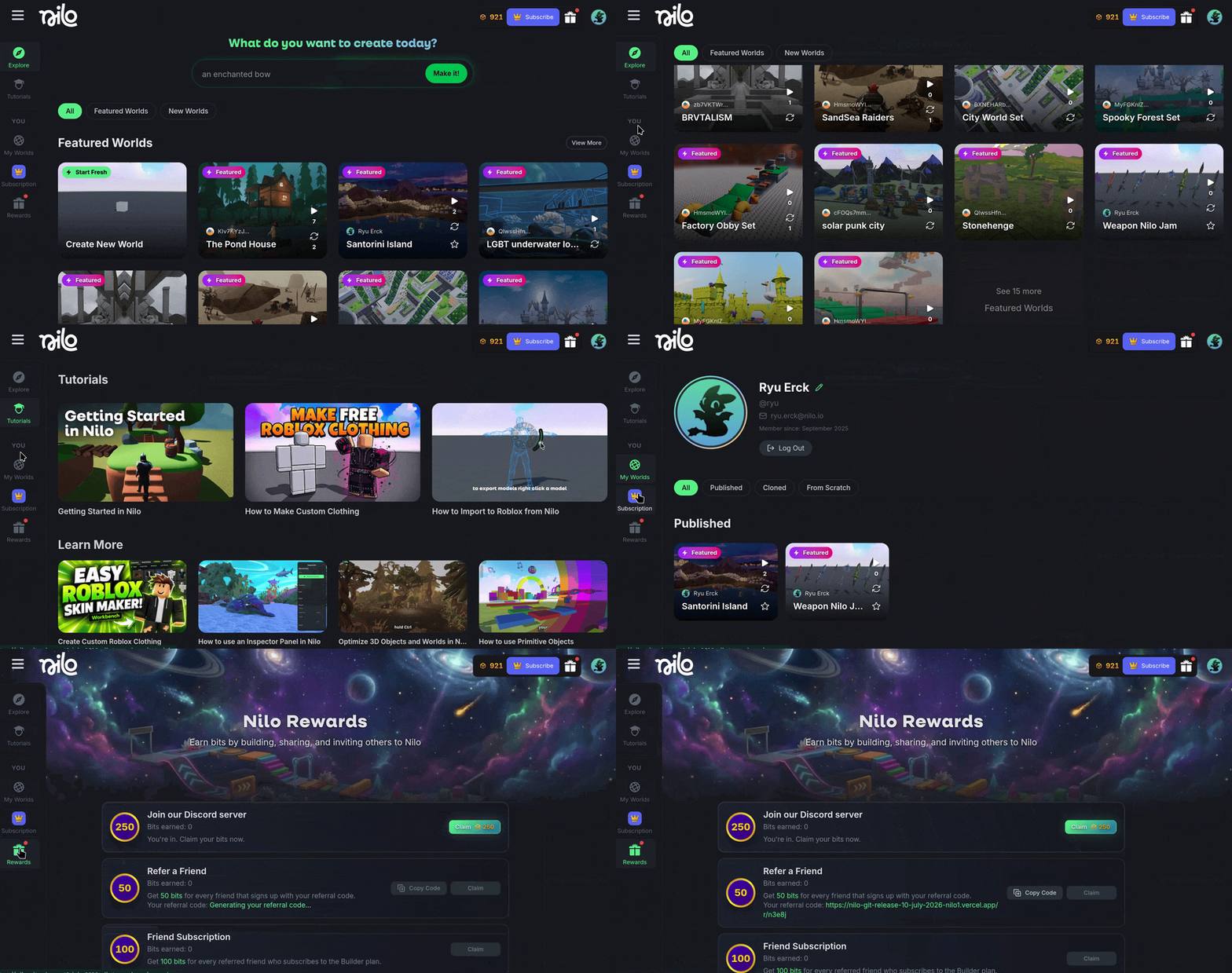
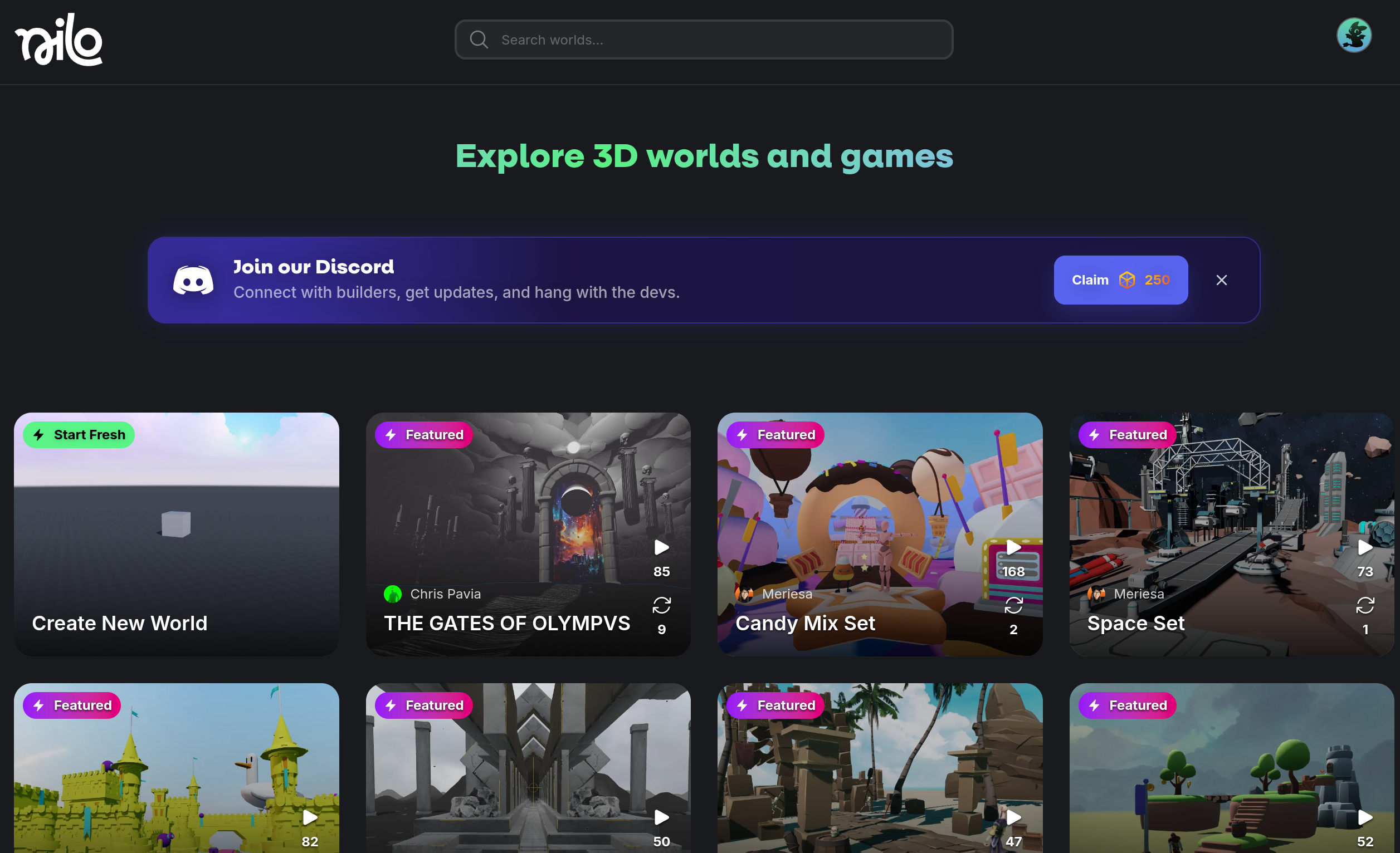
We’ve updated our explore page when you first use Nilo! Navigate through the various Worlds using Explore or see all of our Tutorials using the sidebar navigation. You can also access your profile information, created Worlds and Nilo Rewards.
💡Changes & Fixes
Added a Viewport Gizmo in the Dev Menu for quickly reorienting your camera.
Improved the Make It experience with a larger image preview and prompt verification.
Tweaked the button for Make 3D in Idea Forge so it's easier to find once your image is ready.
Alt-Inow also hides the header buttons, so you can grab a completely clean screenshot or video when recording.Optimized some World load times due to the new skybox presets.
Improved the quality of World thumbnails.
Fixed group rotation so a multi-selection pivots around the Gizmo center instead of each object's own origin.
Fixed publishing so it uploads the exact thumbnail you created.
Fixed the editor shifting up and leaving a black band when using Workbench.
Fixed most issues where Meshy generations could time out even after they'd finished.
Fixed an issue where the Delete key could remove your whole World when a Builder Bag item was selected.
Fixed an issue where code generation could fail to pick a model.
July 30th, 2026
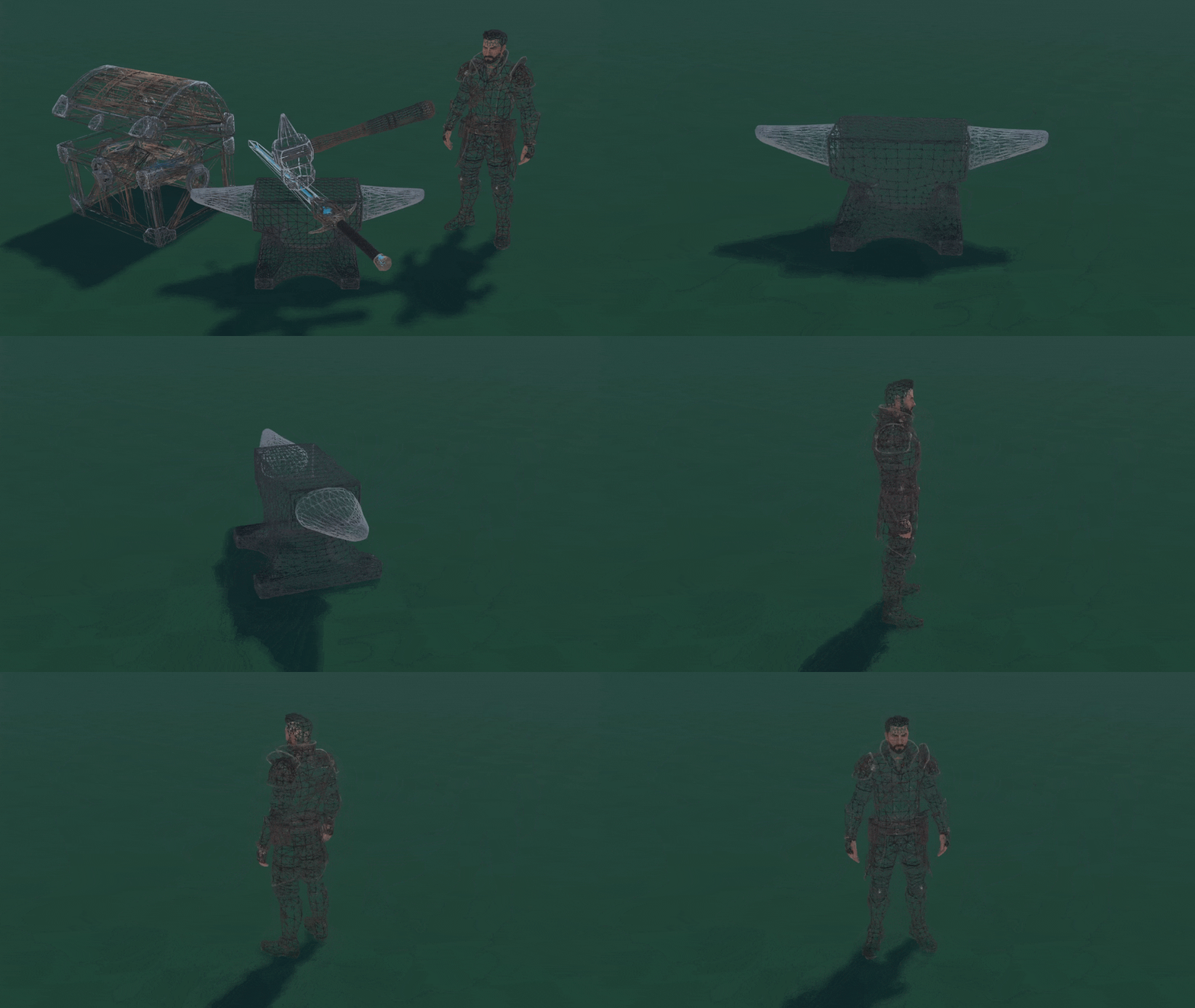
🤖 Meshy T2 Lowpoly
We added Meshy T2 as a new 3D Model generation option. This model is great for creating models where clean, game-ready topology is important, ranging from 100 to 15000 polygons.
📦 Builder Bag Groups
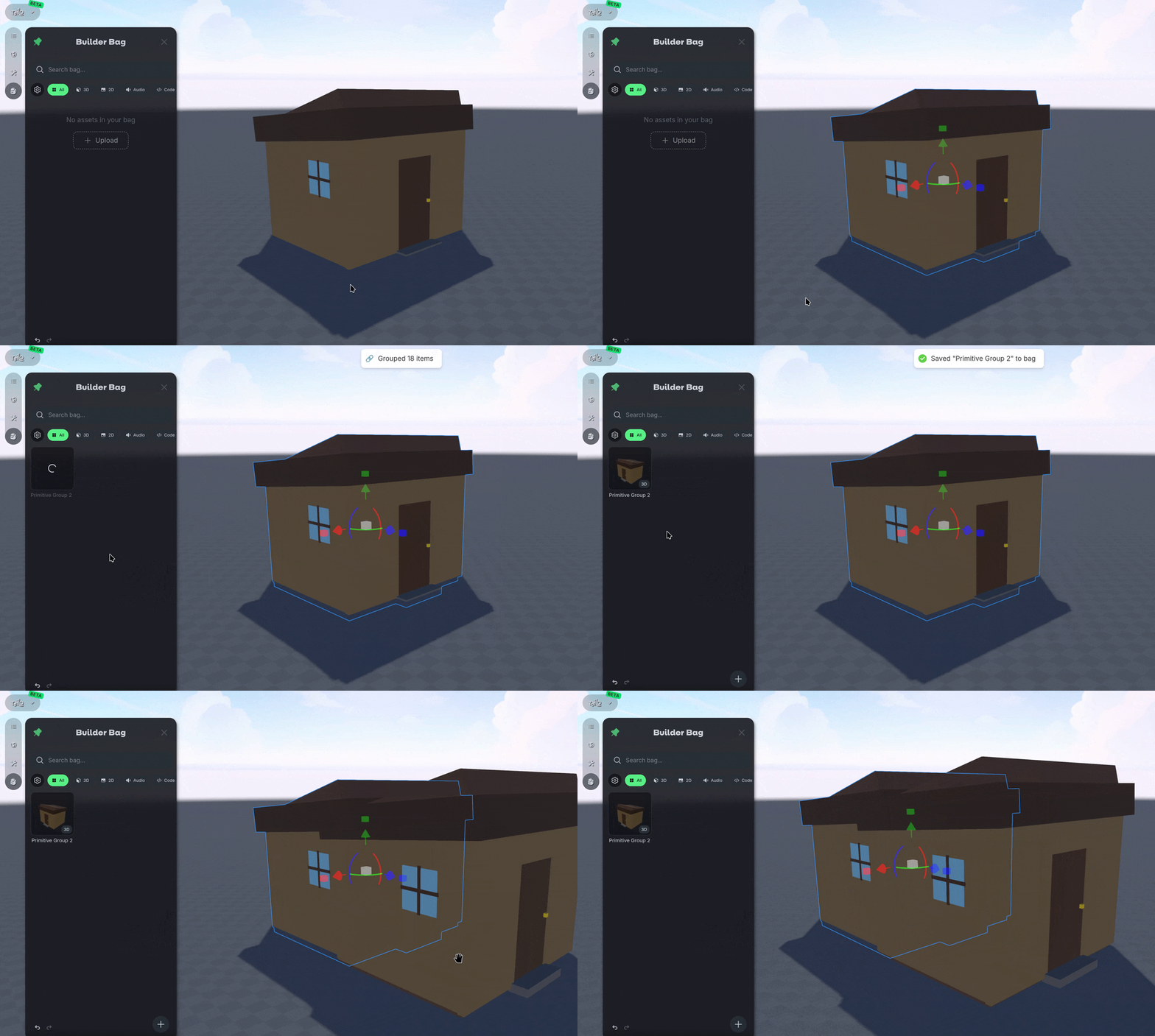
You can now save a whole group of objects to your Builder Bag! First, select and group your objects with Ctrl-G, then save it to the Builder Bag. When you drop the entire collection back into any World, its layout, rotation, and names all intact.
🎨 HD & Roblox Texture Downloads
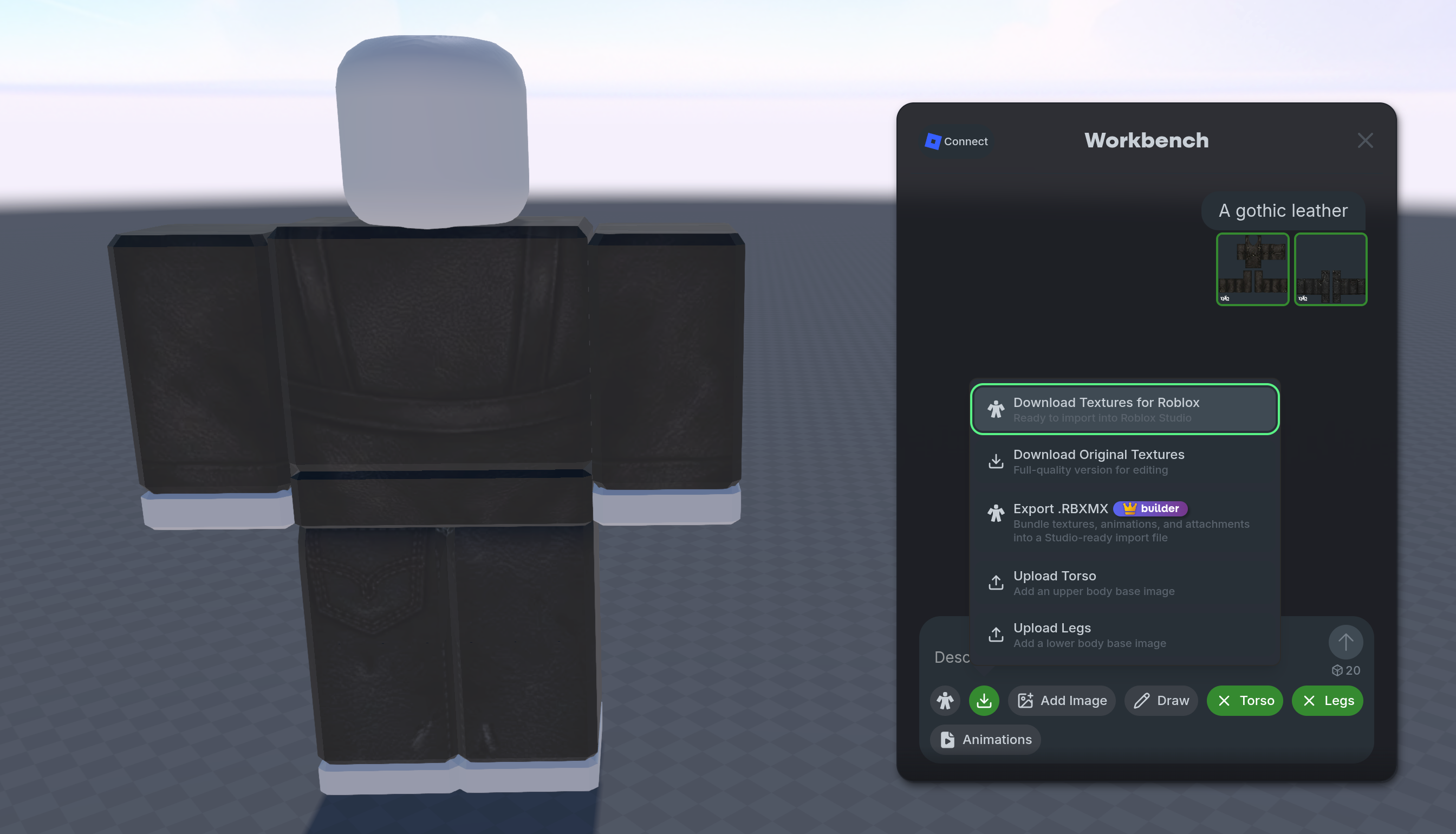
We added new High Definition (Original) and Roblox texture download options to Workbench! Grab a higher-resolution texture for general use, or a Roblox-ready version tuned for your Roblox Characters.
💡 Changes & Fixes
Changed the left-click control to allow for box selecting multiple objects. Holding Ctrl adds to your current selection. Simple grab and move controls still take priority, so you won't start a selection box when you actually meant to move something.
Improved audio so sounds now properly follow objects that move around your World with physics.
Disabled Magnet Snapping to be off by default, this can be turned on in the Dev Settings or by using Alt-M.
Fixed a bug where camera shortcuts would trigger while typing in text fields.
Fixed the invite link for Collaborators to work correctly.
Fixed an issue where a World could fail to fully load.
July 16th, 2026
Updates
💯 50% More Bits
The Nilo community just crossed over 100,000 unique 3D models! To celebrate, we’re giving 50% More Bits to the free subscription and cutting all subscription prices in half until we hit 250,000 models!
Thank you for your continued support so far, we’re excited to see what you decide to make next with us, here’s to the next milestone!

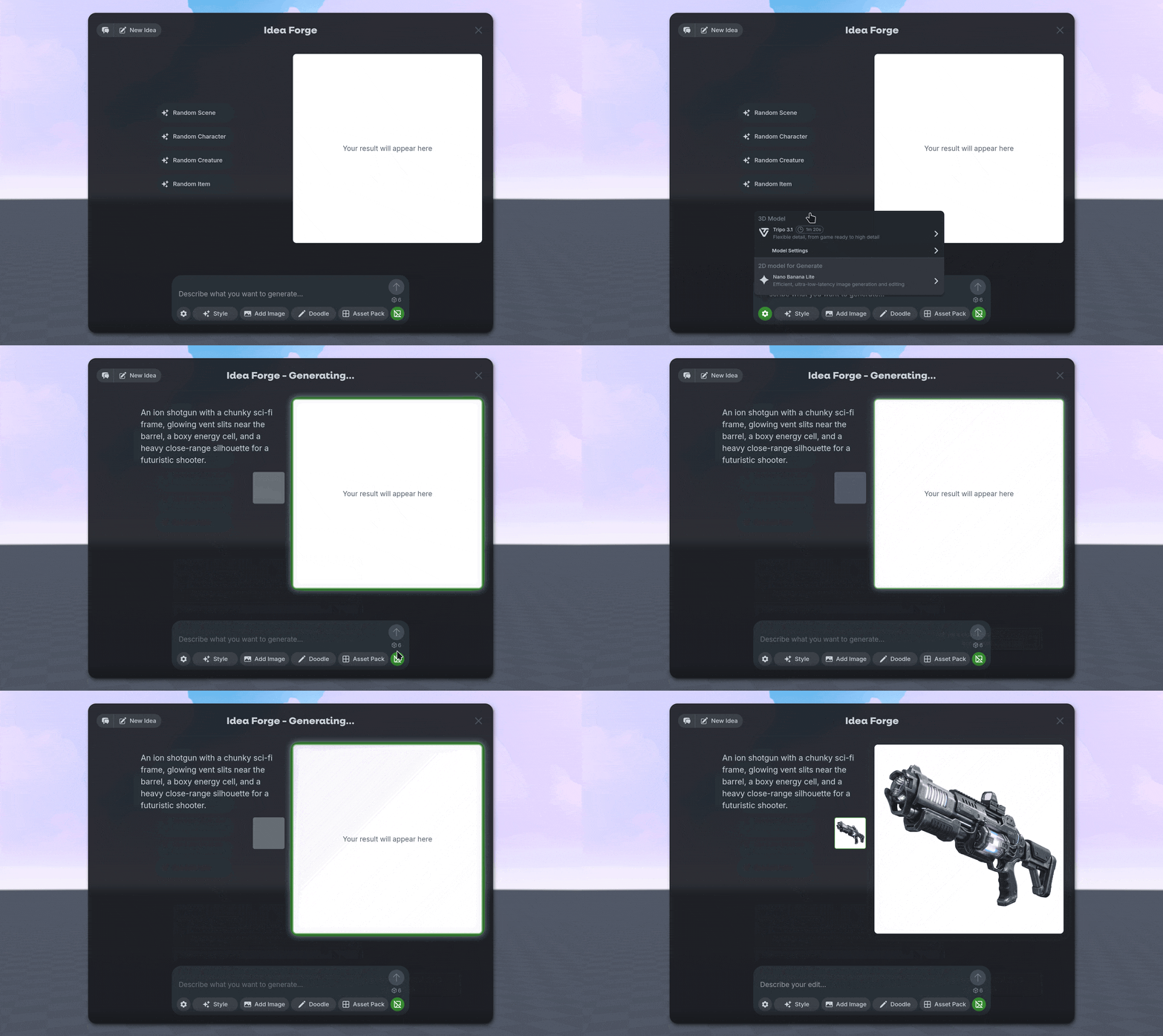
🍌 Nano Banana Lite
We added a new image model to Idea Forge: Nano Banana Lite! It's a faster, cheaper option for generating and editing your 2D concepts. We also enabled the 🖼️ No Background option for this model by default.
You can still use the ⚙️ Gear icon any time you want to switch to a different AI Model.
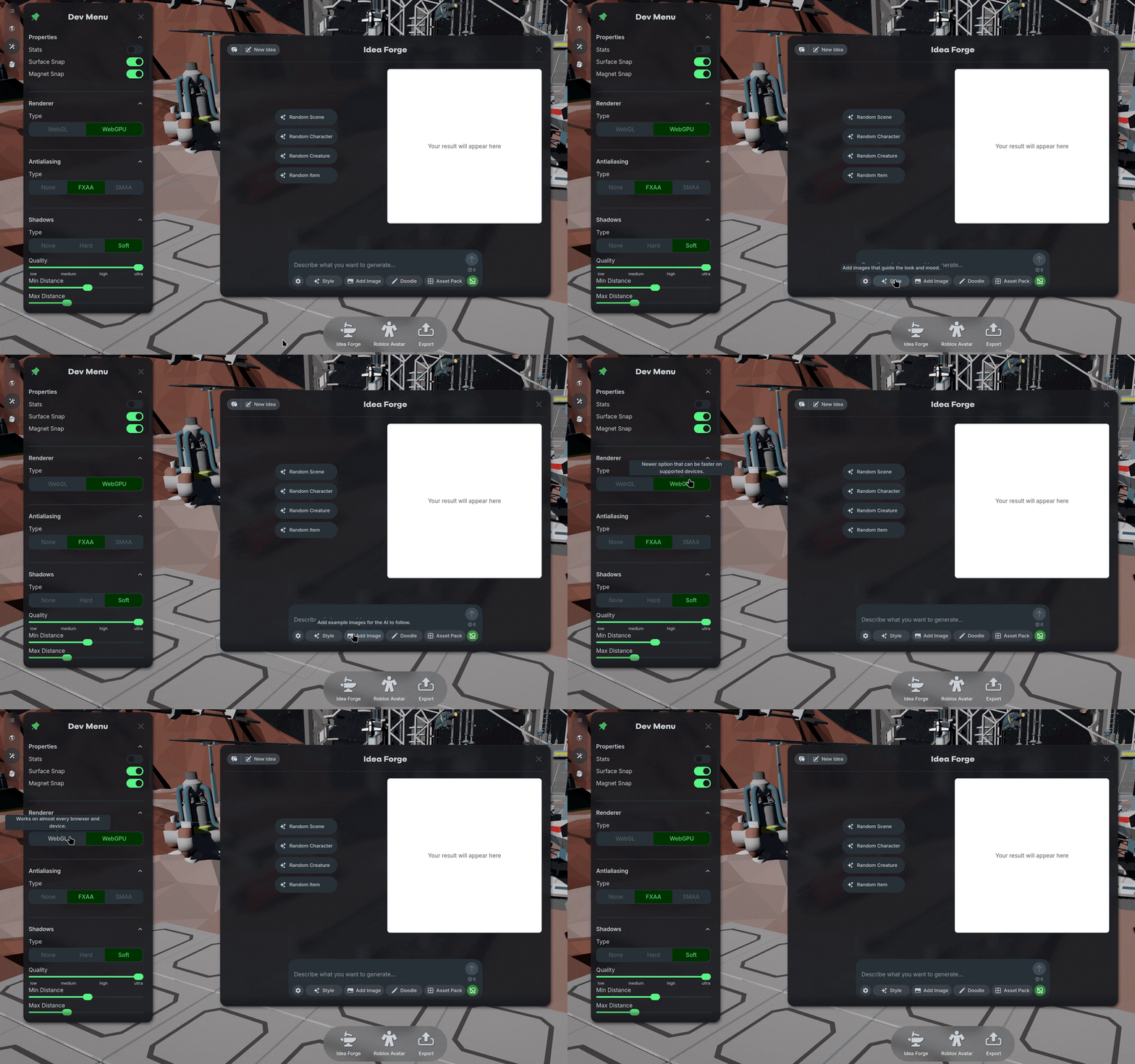
❓Tooltips
We added helpful tooltip descriptions across Nilo! Hover over icons and options in the Builder Bag, Code Editor, Idea Forge, and Dev Settings to see what each one does with a bit more detail.
💡 Changes & Fixes
Improved overall 3D model generation speed.
Improved loading screens while creating a new World.
Added Claude Opus 4.8, Claude Sonnet 4.6, and Gemini 3.1 Preview to the Editor panels.
Grouped entities now get a smart default name based on what's inside, like Primitive Group or Mesh Group, ****instead of a generic Group label.
Fixed an issue where the screen appears black on some devices.
Fixed a few iOS usability issues related to zooming and framing.
Fixed the Builder Bag panel overflowing off-screen on smaller displays.
Fixed an issue where it was difficult to select objects in the World that were behind the Help Menu.
Fixed
Ctrl-Proom previews not refreshing the World's thumbnail, and ensured thumbnails would only update if the owner of the World uses it.Fixed an issue where the Toolbar would overlap with other UI.
July 2nd, 2026
Updates
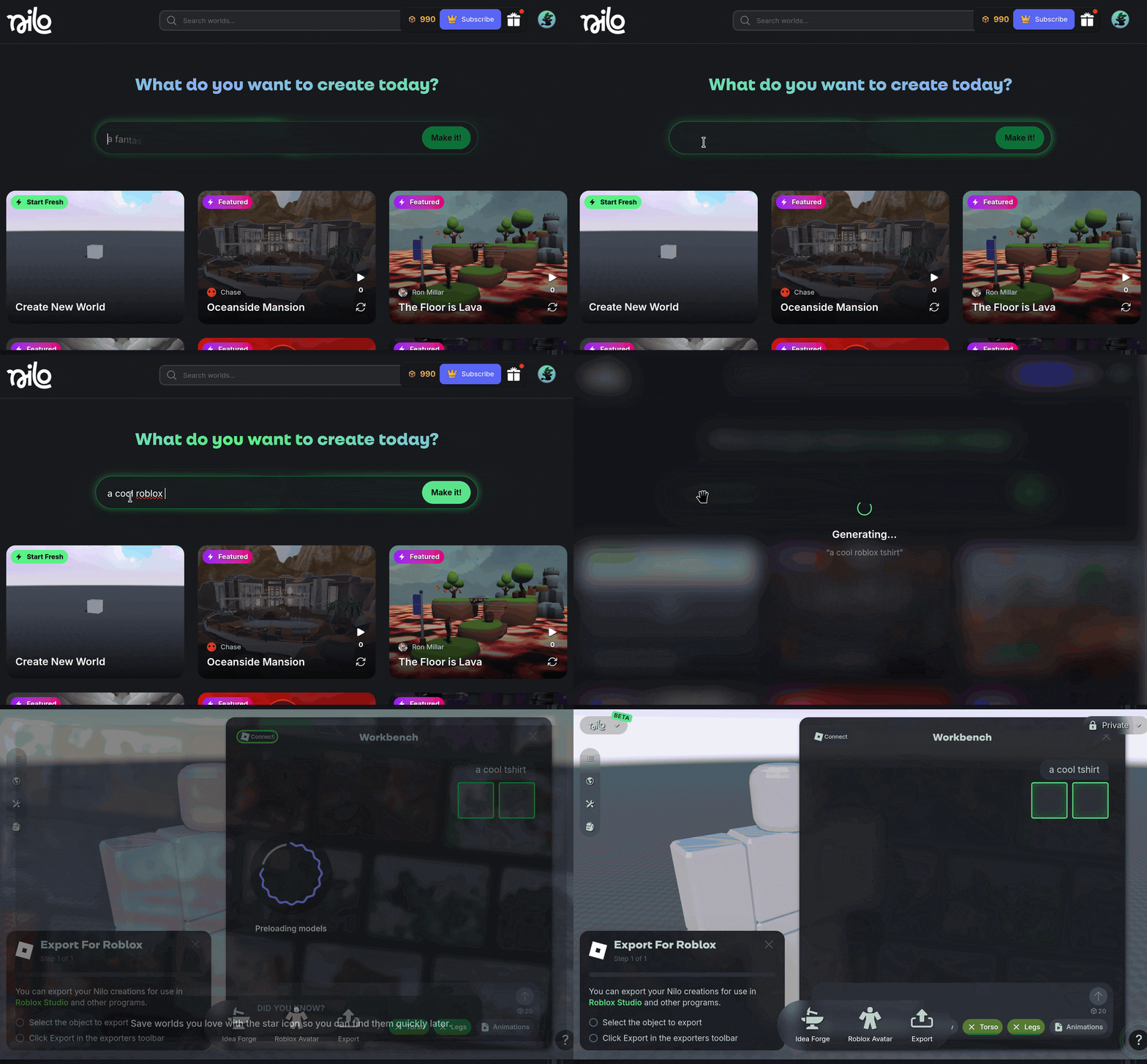
🙌🏻 Make it
We added a new Make It option to the home page of Nilo to smartly help you create what you want! Give it a prompt from a simple object to a Roblox clothing idea and you’ll be taken straight to the feature where it’s made in Nilo.
🧰 Toolbar
We added a new Toolbar along the bottom of the screen for faster access to the things you reach for most: Idea Forge, Roblox Avatar, and Export!
Select an object and hit Export to download it quickly as a GLB file, or just hit Export with nothing selected to export everything in your World at the same time.
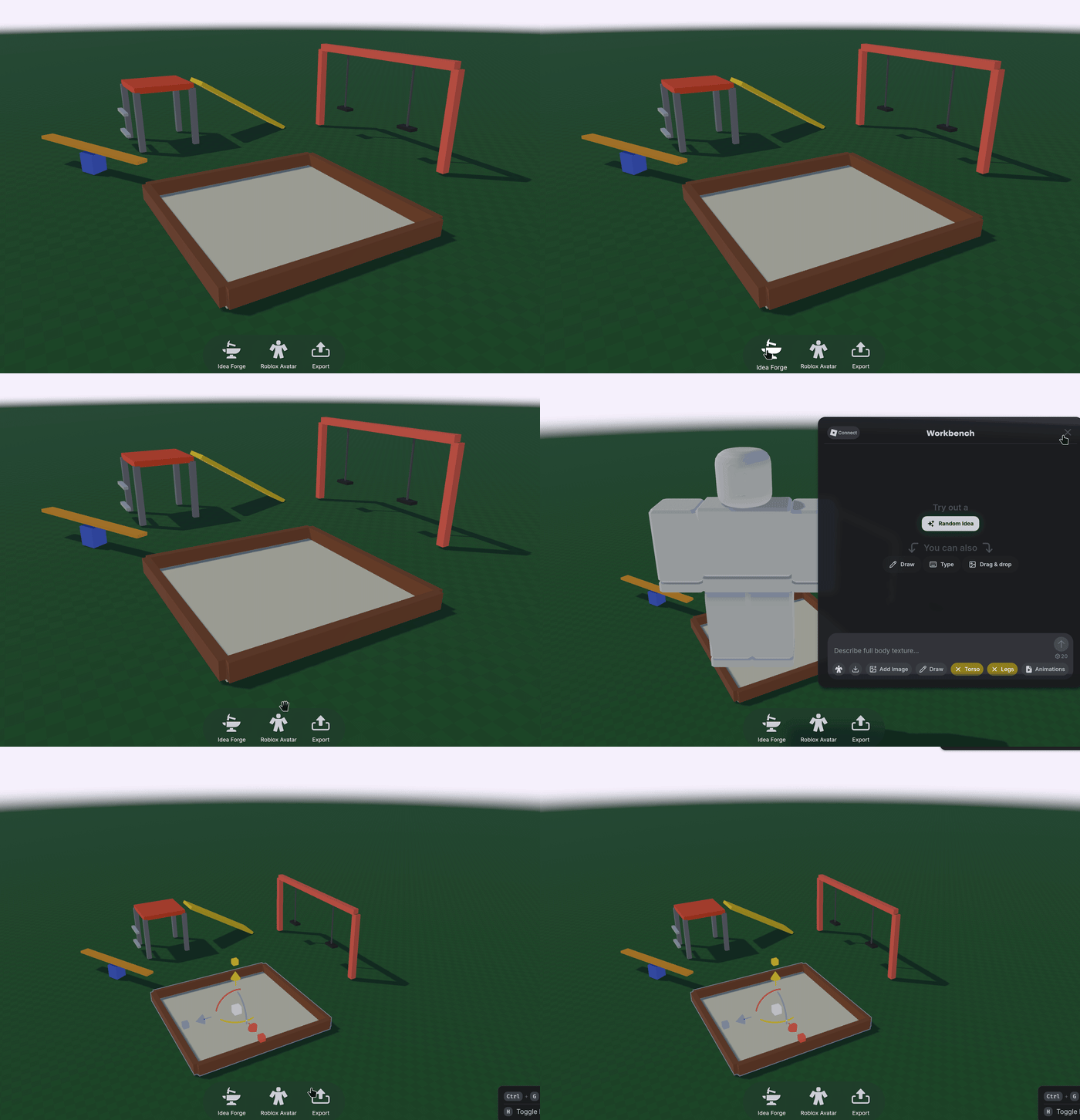
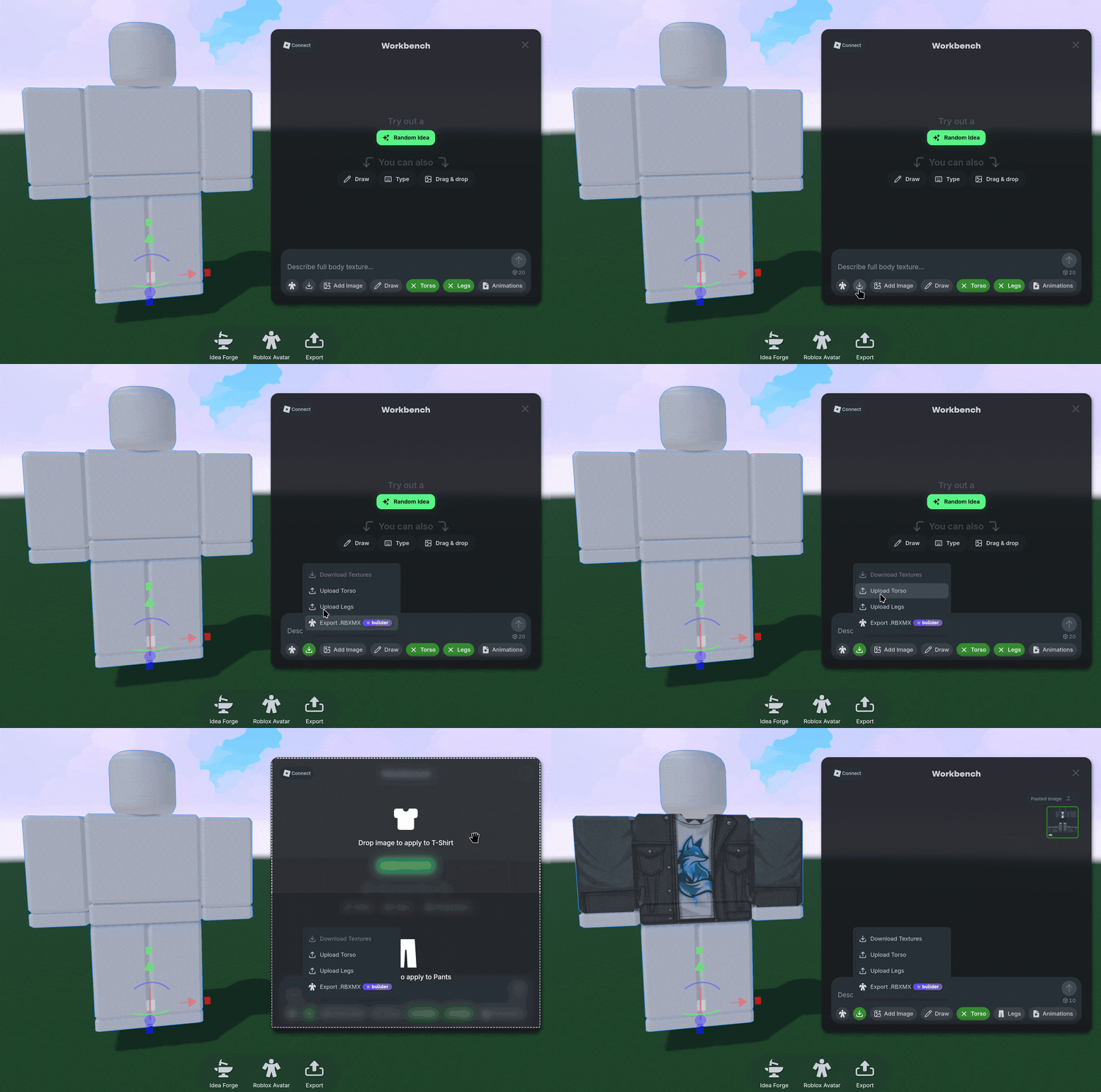
🤸🏻 Roblox Workbench Improvements
We improved a ton of the features in Workbench:
Added separate torso and legs upload buttons in Workbench so you can upload your own images to edit in Nilo easier.
Roblox clothing textures created from Workbench now download at a higher quality resolution, and RBMX exporting fails less now.
You can now link and unlink your Roblox account straight from your account page! You’ll also find your linked Discord account there too.
💡 Changes & Fixes
Added drop zones in Idea Forge so its clear if an image is being used as an input for a prompt, a style, or to replace the existing image.
Idea Forge now accepts images up to 50MB and shows a clear message when a file is too large, instead of a confusing permission error.
Significantly reduced loading times when creating or joining a World.
Removed the Remove Rig option for R15 characters, since it does not apply.
Fixed rotation and position flicker when rigging or unrigging a character, and smoothed out character controls afterward.
Fixed a small delay to use the Radial Menu after a model finishes generating.
Fixed light transforms so rotation and the values shown in the Inspector Panel behave as expected, such as the spotlight properly aiming directly at the ground.
Fixed a bug in Idea Forge which briefly loaded the wrong conversation when using the Edit 3D button on the Radial Menu.
June 18th, 2026
Updates
✨ Edit 3D Models
We added a new edit option to generated 3D models! It’s been a highly requested feature to edit your 3D models after they are created.
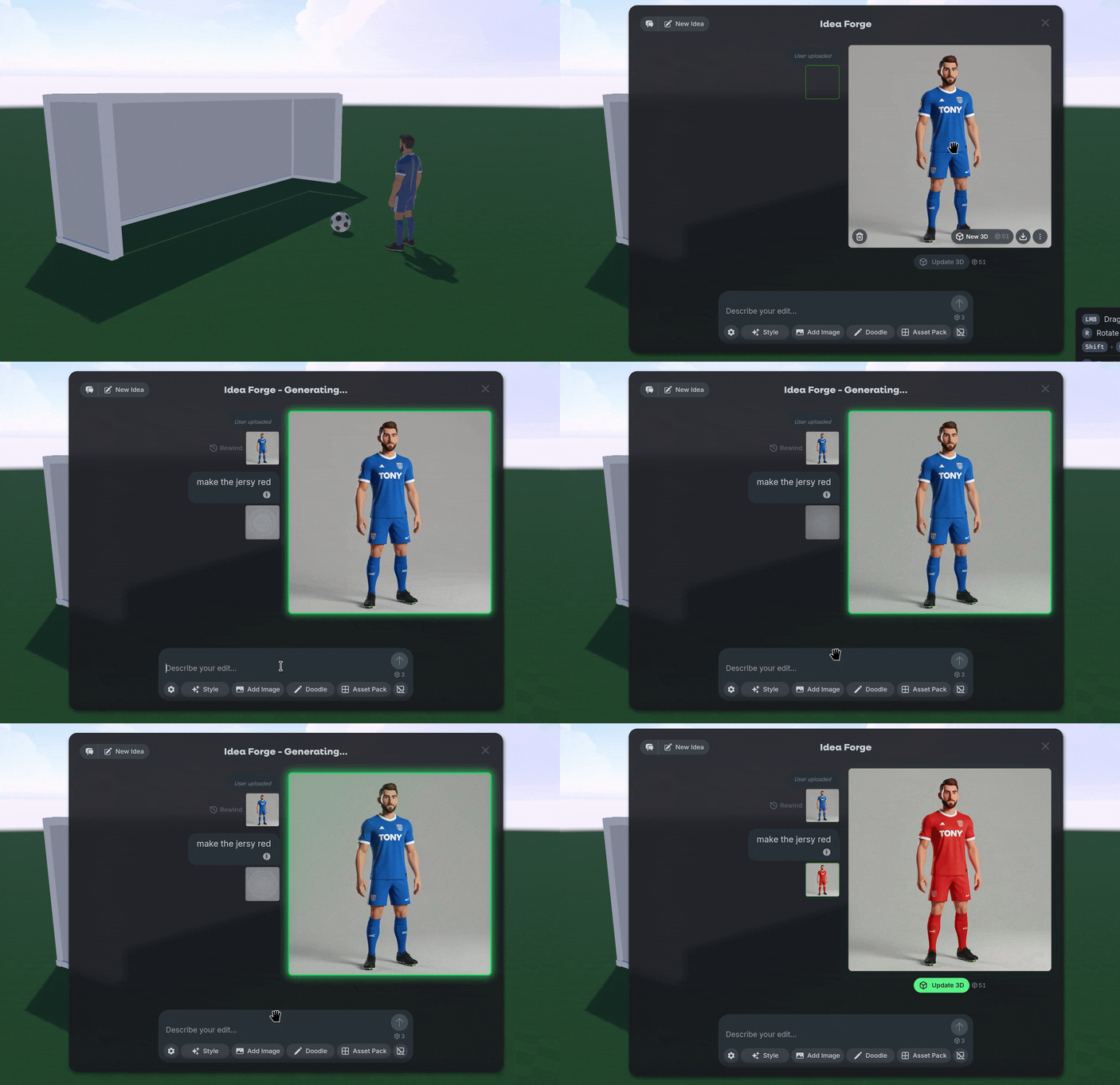
You can do this by opening the radial menu on the object, selecting Edit 3D, and then prompting Idea Forge to refine your concept image before generating the model again using Update 3D.
🎁 More Nilo Rewards
Nilo Rewards now rewards you at least 250 Bits for linking your Discord account and joining the Nilo Community at https://discord.gg/playnilo ! Invite your friends to try Nilo out and be sure to login daily for some extra Bits to generate more objects.
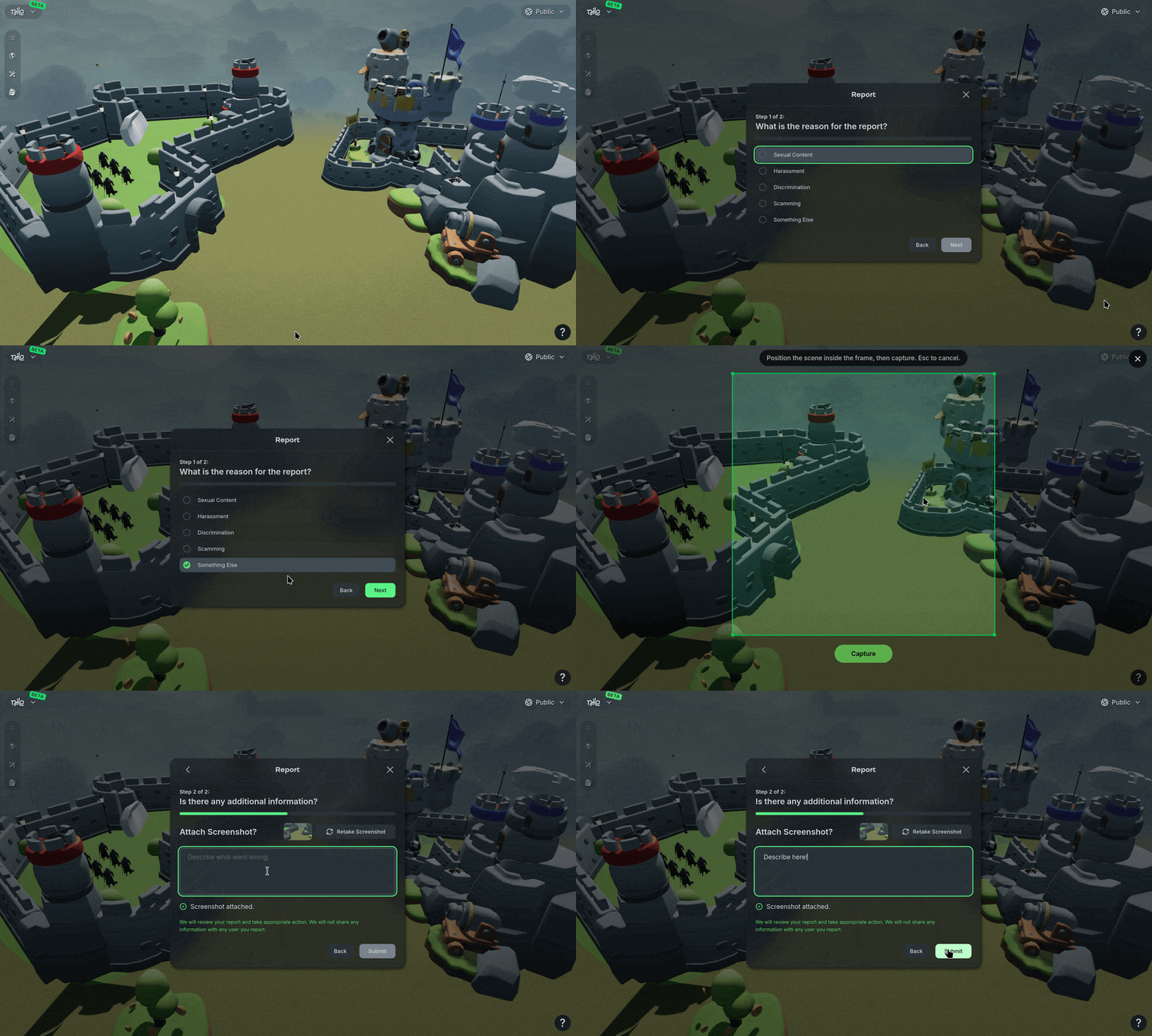
🔨 In-Game Reporting
We’ve added some new reporting options into worlds and user profiles. We are committed to making Nilo a fun and safe environment for Nilonauts to enjoy creating by themselves or with others.
If you find violations of our community or creator conduct, make sure to use the 🛡️ Report icon to send in a report so we can help take care of it!
💡Changes & Fixes
Added a Remove Rig option in the Radial Menu under the Animation section.
Changed the Sun Phi and Sun Theta labels to Sun Height and Sun Direction in the Environment Panel.
Locked the radial menu actions while a model is generating to prevent errors.
Fixed an error when trying to export Roblox Characters as a GLB file-type.
Fixed a rare issue where cloned worlds would edit the original world.
Fixed a bug where some primitive objects, like the cube, would suddenly disappear.
Fixed some issues with character rigging on certain models, it should be more consistent now.
June 11th, 2026
Updates
🤖 Gemini 3.5
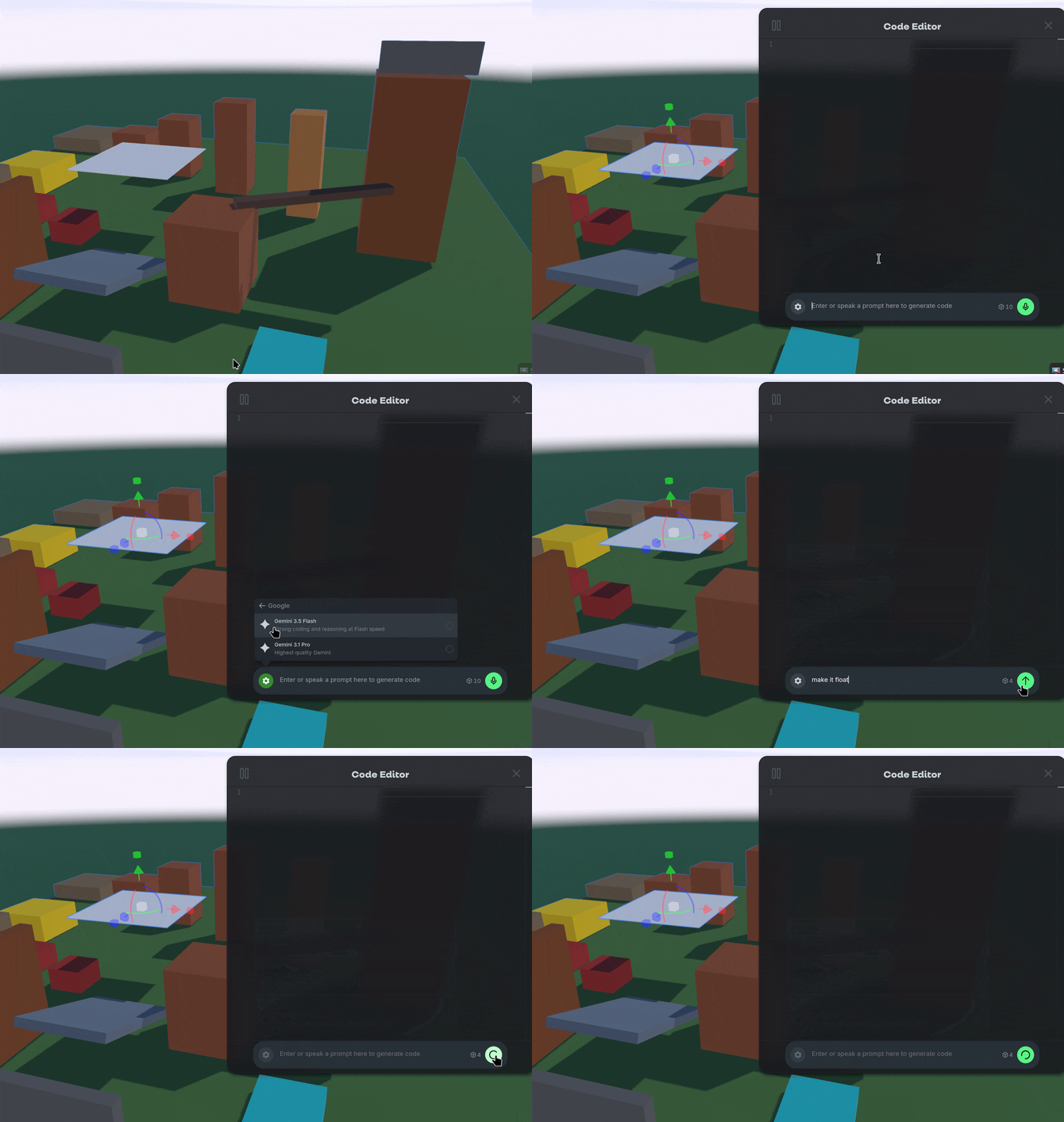
We’ve upgraded our code generation model to Gemini 3.5! This replaces the previous 3.1 model and improves on prompt comprehension and speed. Give it a try and make some objects move with some simple prompts like “Float in place” or “Rotate slowly”.
🔉 Audio Categories
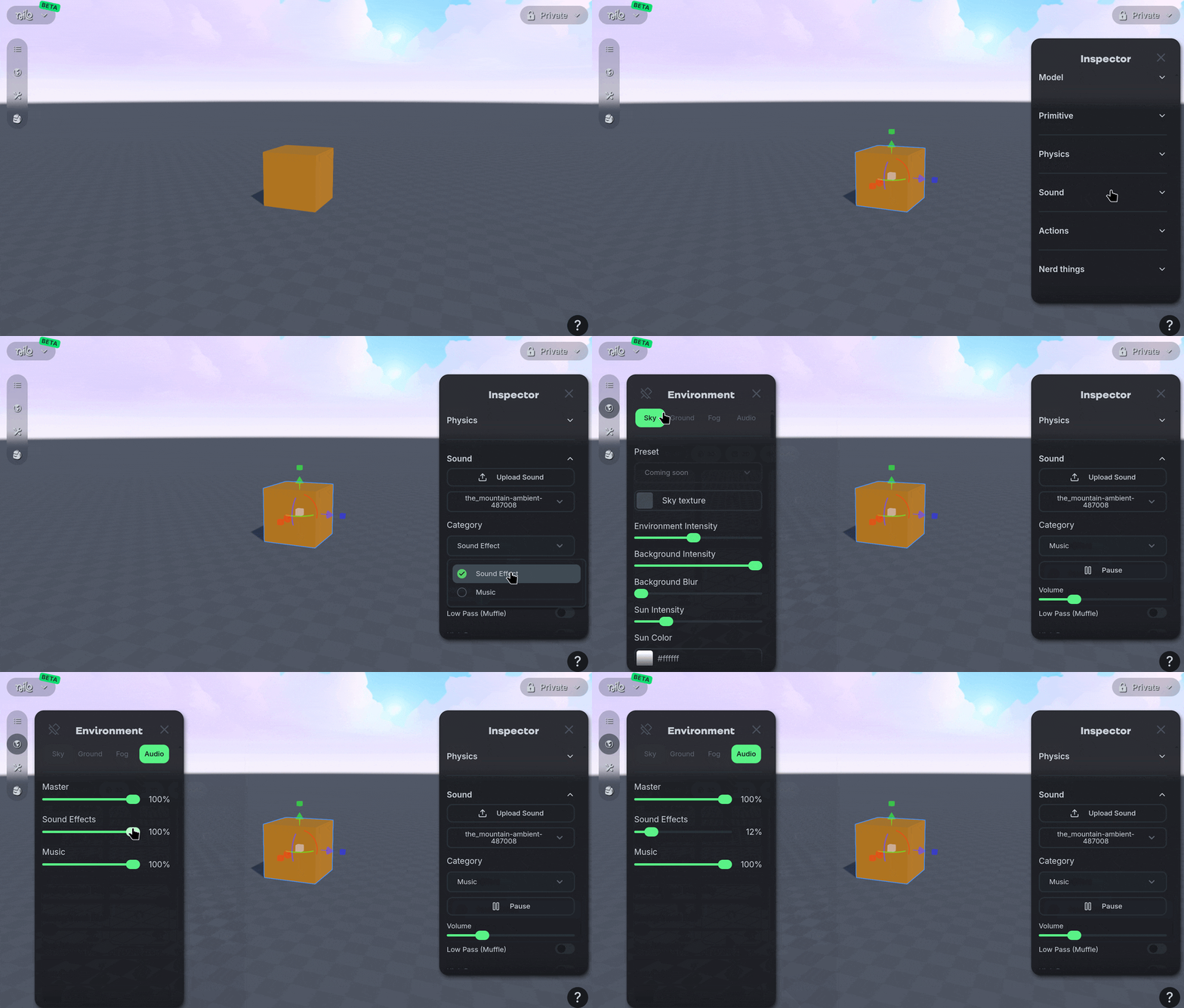
You can now categorize your audio files into Music or Sound Effects after they are uploaded in the Inspector Panel. We’ve also added a new Audio tab to the Environment Panel where you can adjust the volume level of these categories in your World.
💡Changes & Fixes
Adjusted some of the UI for animation creation and search across Nilo.
Tweaked the Search UI for Builder Bag, Entities Panel, and Animation searching.
Simplified some of the toggle options in the Dev Panel to be more compact.
Fixed an issue when using Cartwheel to generate animations for R15 models.
Fixed some issues where authentication would error out when signing in to Nilo.
Fixed an issue where primitive objects would not spawn in the correct positions on mobile.
Fixed a bug that caused duplicate usernames. If you want to check and change your own username, go to your profile https://play.nilo.io/ and use the pencil icon on your profile picture!
May 28th, 2026
Updates
💡Changes & Fixes
Adjusted some of the UI elements in Workbench to make it more clear how to create Roblox characters.
Tweaked some camera controls to control smoother and properly save and load camera angles in a World with Ctrl-K and Ctrl-L.
Added a few more actions to recover Worlds when the graphics cause an error.
Fixed an issue where you could not drag the Code Editor window.
Fixed an issue where the camera speed indicator wouldn’t appear after cloning a World.
Fixed a bug where visitors of published sandbox Worlds could not edit or move objects.
Fixed an issue where it was possible to export while a model was still generating.
Fixed an issue where primitive objects would lose their color on export.
Fixed a bug where Surface and Magnet Snapping toggles did not update in the Dev Menu.
May 14th, 2026
Updates
🧩 New Primitives
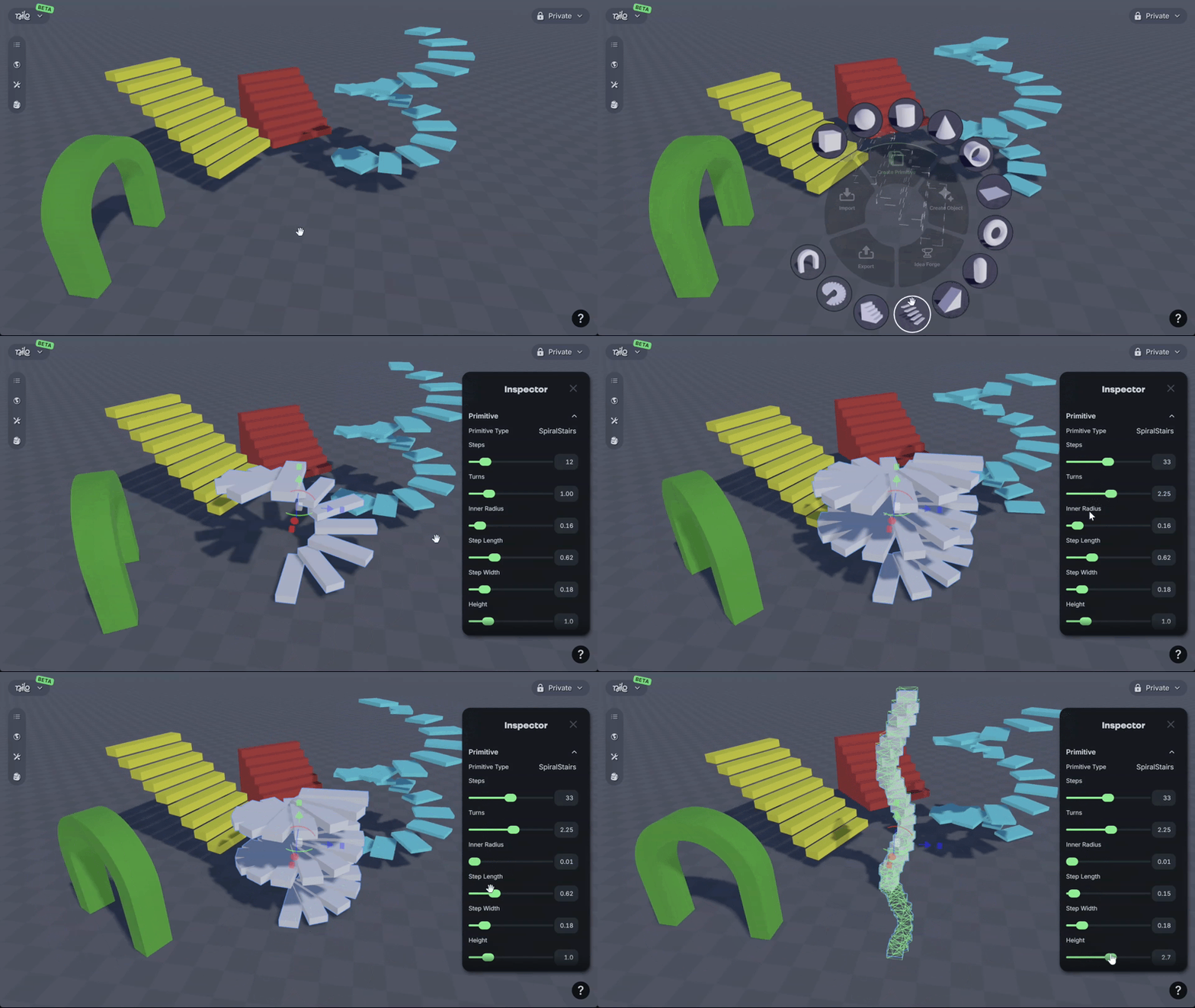
We added new primitive objects to the radial menu:
Opened Stairs
Closed Stairs
Spiral Stairs
Arch
You can also edit them further using the Primitive category in the Inspector Menu!
🤸🏻♂️ New Animations
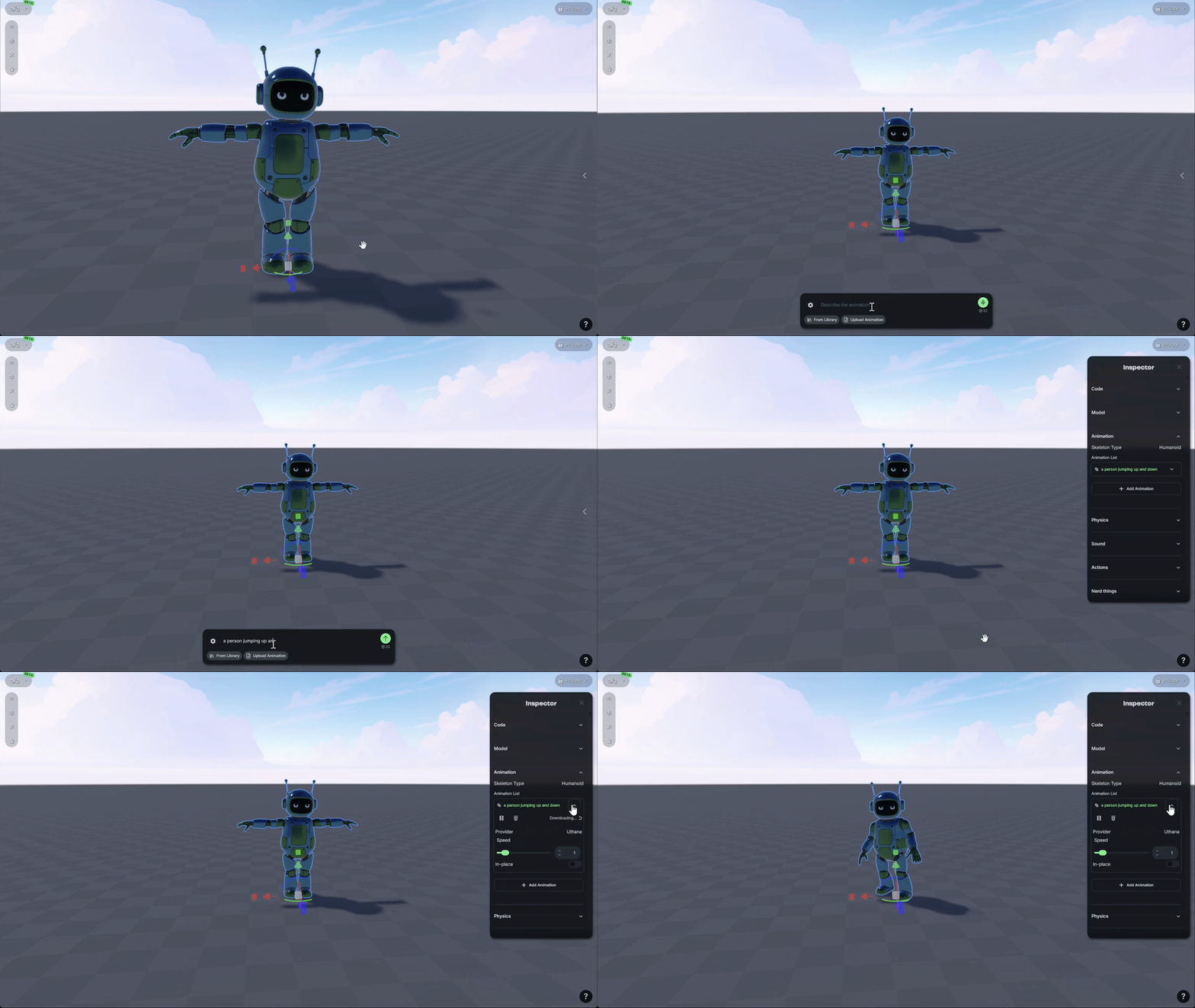
We added a new animation generator, Cartwheel! You can use the radial menu on a rigged character, then use the + icon to generate new animations.
Use the ⚙️ gear icon to adjust the animation model you’re using and length of animation, or browse the library of existing animations.
You can check the progress of generation and further adjust your animations using Animation category in the Inspector Panel.
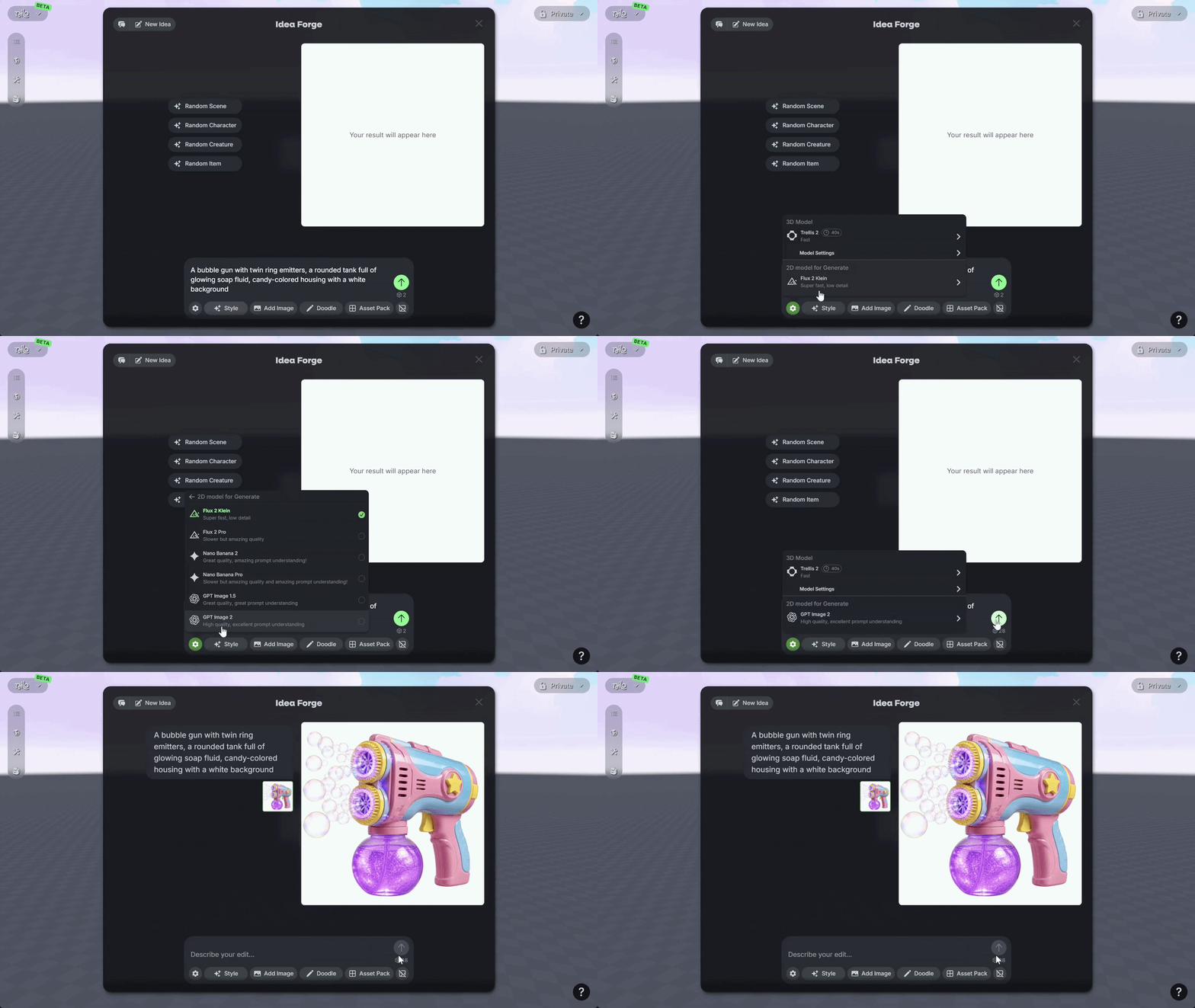
🎨 GPT Image 2
We added GPT Image 2 to Idea Forge! GPT Image 2 offers higher quality generation, similar to Nano Banana Pro. Use it to achieve some stylized images or upload your own images to edit further.
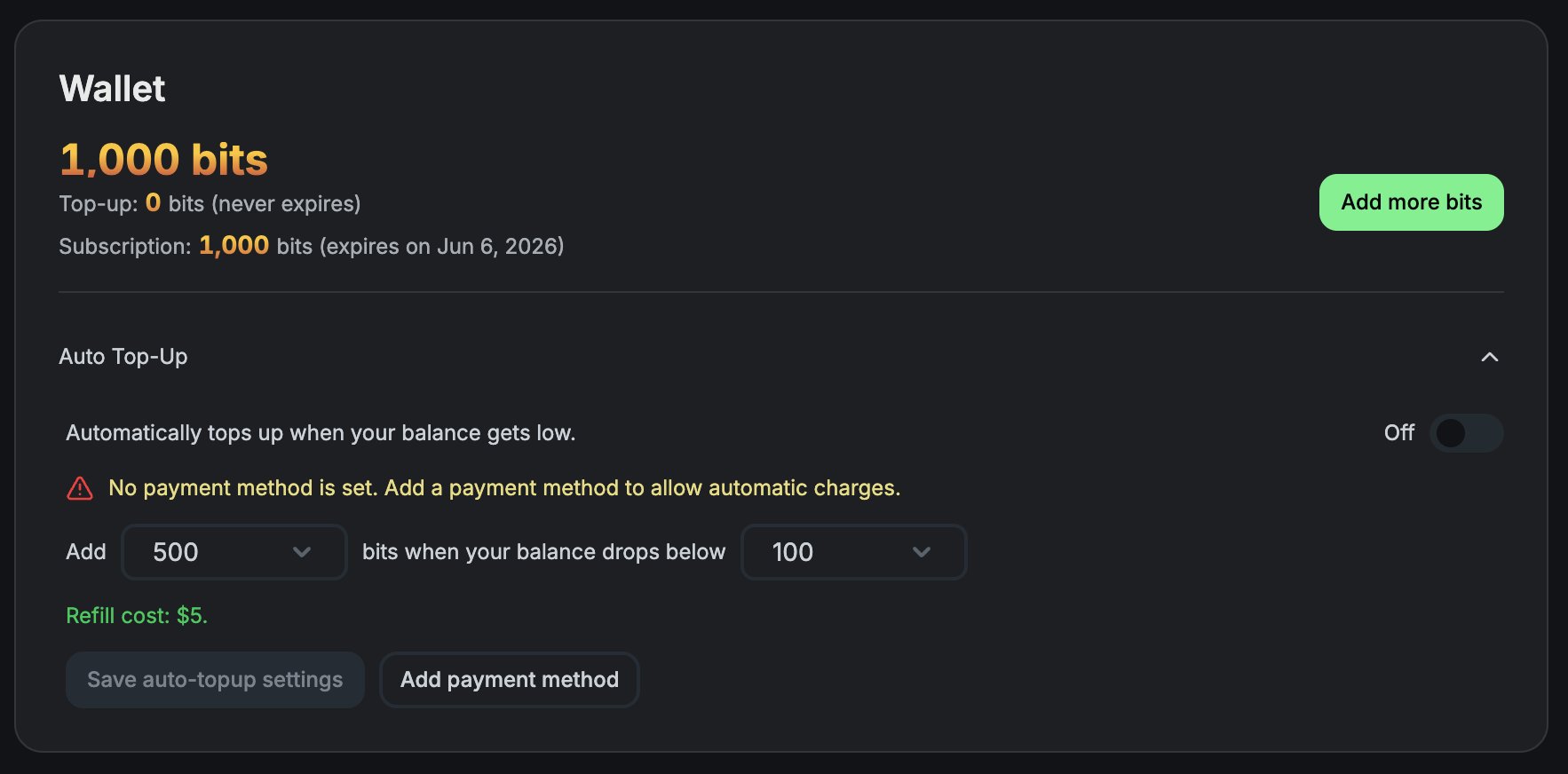
💰 Automatic Top-ups
We added the option to automatically top up your wallet if your Bit balance is low. On your accounts page, set the amount you want to top-up and keep creating without slowing down.
💡Changes & Fixes
Changed the default 3D AI model to Tripo 3.1. You should expect higher-quality results, but if you want to iterate quickly or spend fewer Bits, you can adjust the model using the ⚙️ gear icon.
Tweaked our camera settings in vehicle mode to be a bit smoother when in control.
We made existing worlds Spectator mode by default, if you want to edit a world you’re visiting try to clone it first!
Fixed a bug that removed the color from the model when exporting as a GLB file.
Fixed an issue where physics colliders would not recalculate if you mirrored the mesh in the Inspector Menu.
Fixed a bug where Tripo 3.1 required a builder subscription.
Fixed an issue in our explore page that resulted in errors when trying to visit older Nilo Worlds.
Fixed a launch bug on Chromium browsers.