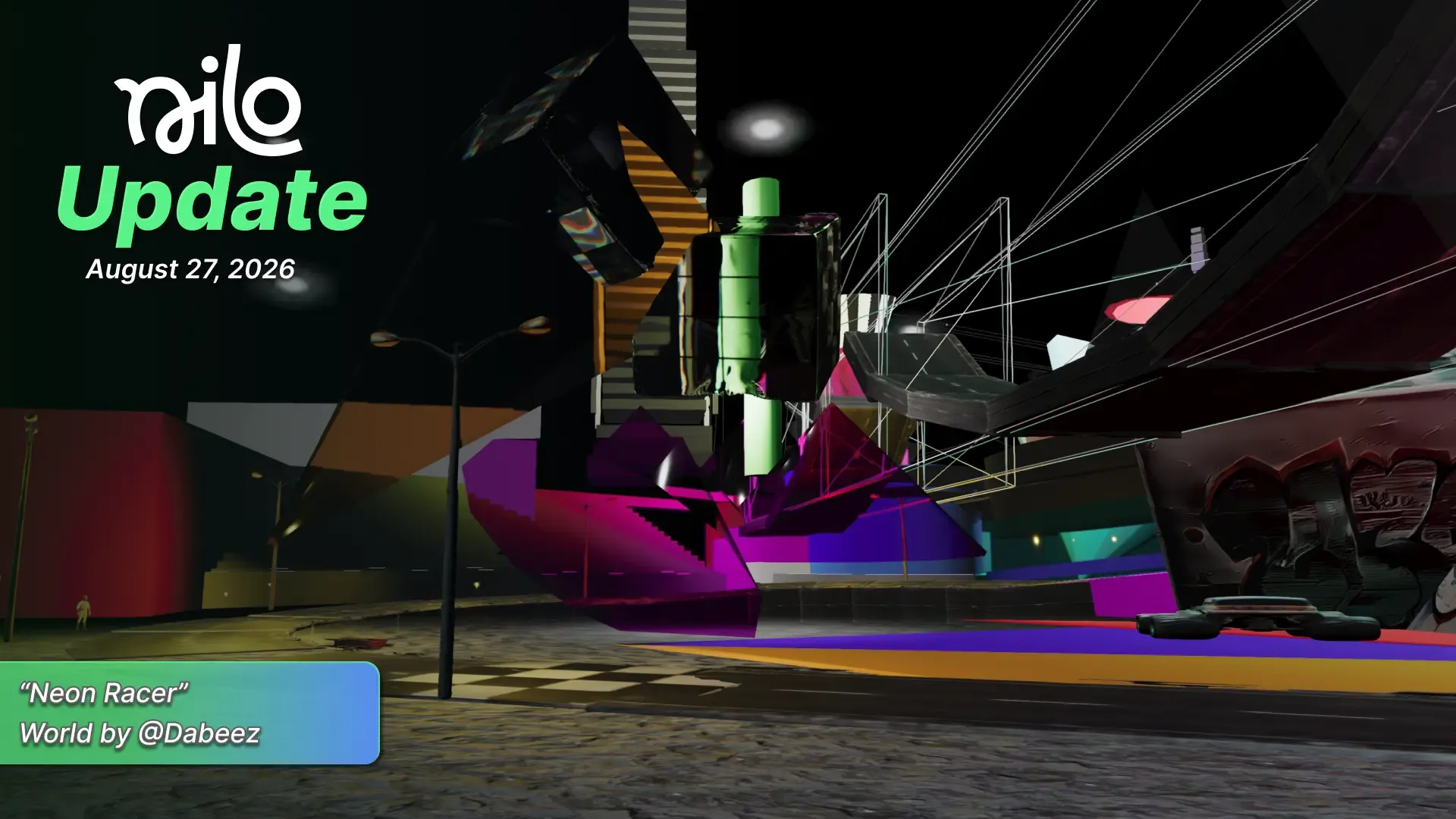
August 27, 2026 Update
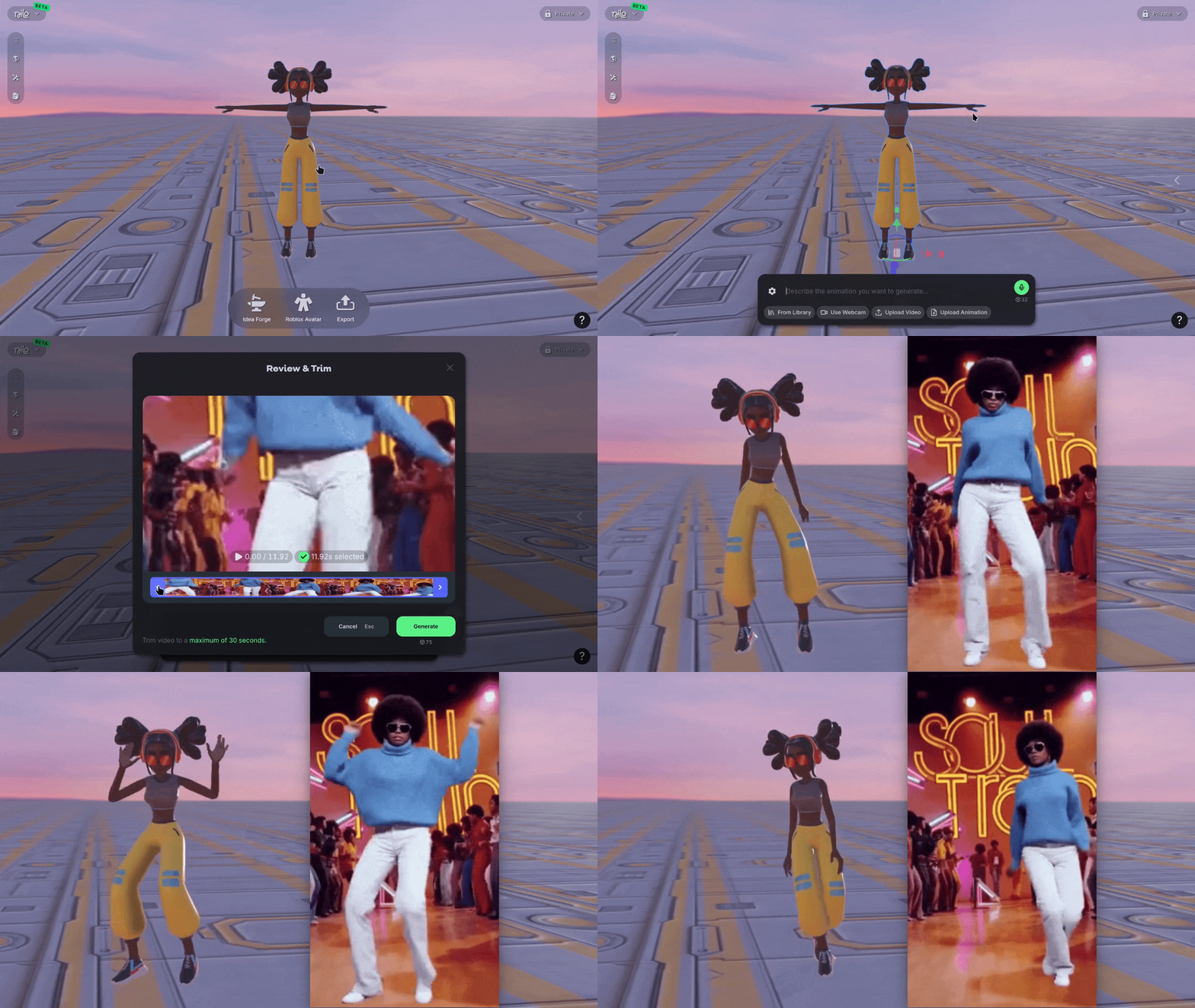
📹 Video to Animation
You can now generate specific animations for your characters based on reference video or capture your own with a webcam! When creating an animation on a rigged character, select Upload Video or Use Webcam to create then trim the footage to what you want to use.
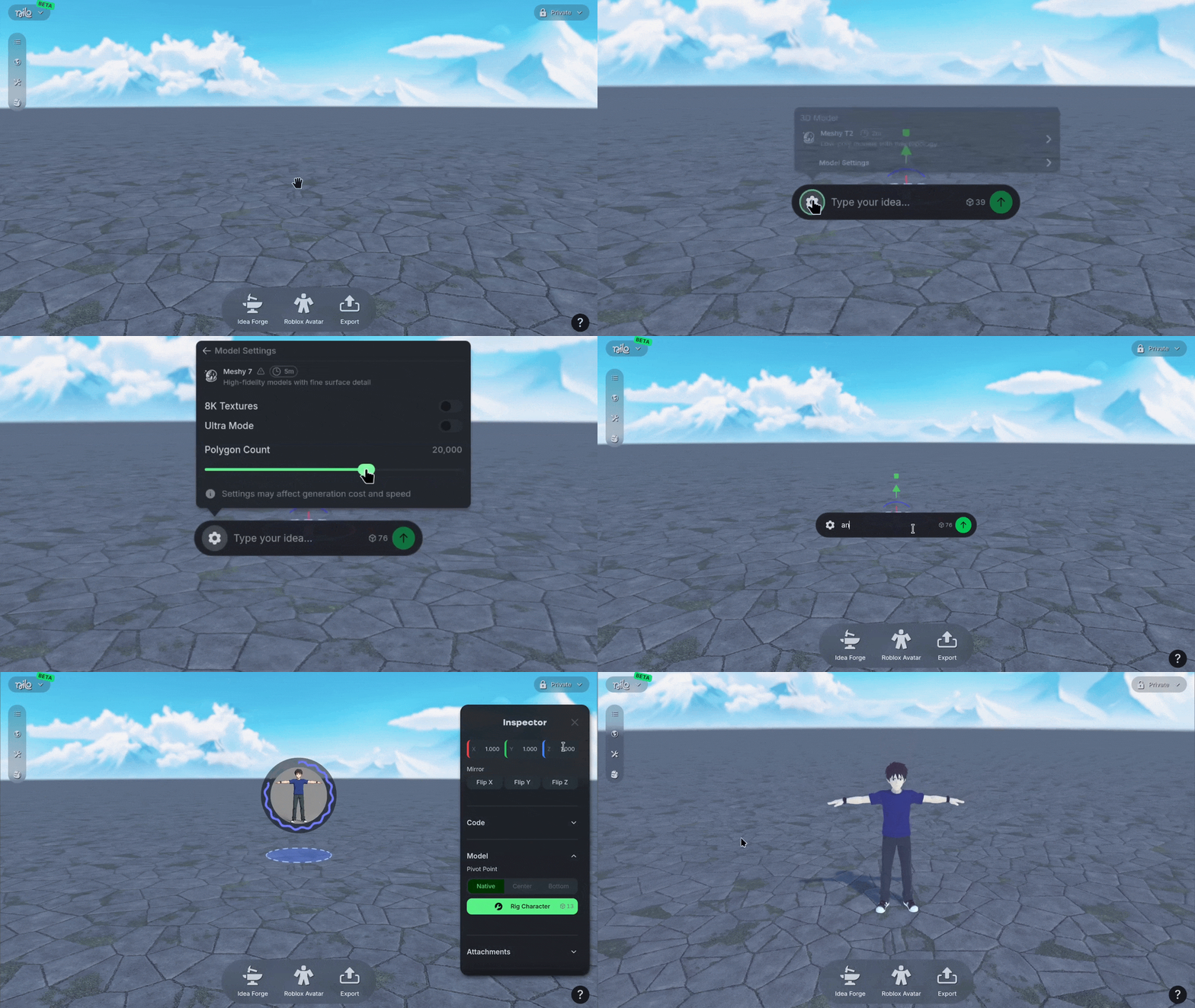
🤖 Meshy 7
We added Meshy 7 as a new 3D model generation option! It's built for clean, game-ready models, and it comes with a polycount setting between 100 and 300,000 so you can dial in to what your project needs. Switch to it using the ⚙️ Gear icon when you generate to see how it can suit your needs.
💡 Changes & Fixes
Significantly improved the export speed of RBXMX models.
Improved attachment point overlays so they scale to match the object you're attaching to.
Improved the messages shown when a generation fails so it's clearer what happened.
Improved multiplayer so control hands off smoothly when a player's tab goes inactive.
Fixed a crash when using the send button in the Code Editor while collaborating.
Fixed Inspector Panel scrolling on mobile so you can reach every setting.
Fixed generated animation direction for Roblox Characters so they face the right way.
Fixed a crash that could happen when leaving a World.
Added the Search bar for Worlds back to the explore page.
Changed the Make 3D button in Idea Forge so it now stays visible but disabled until your image is ready.
Added the ability to filter Worlds on your profile page by Favorites.
Improved the Explore page's All, Featured, and New tabs so they load and page through Worlds correctly.
Fixed several issues with attachments, including objects appearing before their attachment point had loaded, undo an redo, and physics breaking after detaching.
Fixed an issue where you could enter a World before it finished loading.